
Table of Contents
- Introduction: How Frontend API Tooling Actually Evolved
- 1. The Early Days: XMLHttpRequest (XHR)
- 2. Axios: The Default Before Fetch Was Everywhere
- 3. Fetch: The Platform Primitive
- 4. Fetch Becomes the Baseline: Wrappers + Runtime Support
- 5. SWR and React Query: Server State, Not an HTTP Client
- 6. The Missing Piece: API Testing and Collaboration
- 7. Bruno: Local-First API Testing That Lives With Your Code
- 8. The Future: Workflows Over Request Libraries
- Conclusion
Introduction: How Frontend API Tooling Actually Evolved
This is not a clean, chronological timeline of who invented what first. It is how most frontend teams actually adopted API tooling over time. The HTTP request stayed simple. What grew over the years is everything you need around it once your app and your team scale: retries, timeouts, auth refresh, consistent errors, caching, and tooling that works in CI.
If you have been building web apps for a while, you probably saw some version of this path: XHR everywhere, then Axios as the default client, then Fetch becomes a stable platform primitive, then server-state libraries, then better testing and collaboration workflows.
Here is the practical story of how it played out.
1. The Early Days: XMLHttpRequest (XHR)
XMLHttpRequest (XHR) dates back to the early 2000s and became widely used in the mid-2000s as AJAX apps took off. It was the original workhorse for making HTTP requests from the browser.
XHR was low-level and easy to misuse:
- Verbose, imperative syntax
- Callback-heavy flows if you wanted to compose multiple requests
- Manual parsing and inconsistent error handling patterns across codebases
// XMLHttpRequest (XHR) example
const xhr = new XMLHttpRequest();
xhr.open("GET", "https://api.example.com/users");
xhr.onload = () => {
  if (xhr.status >= 200 && xhr.status < 300) {
    console.log(JSON.parse(xhr.responseText));
  } else {
    console.error("Error:", xhr.status, xhr.responseText);
  }
};
xhr.onerror = () => console.error("Network error");
xhr.send();
The pain was not making a request. The pain was keeping request logic consistent across an app without rewriting the same boilerplate and edge cases forever.
2. Axios: The Default Before Fetch Was Everywhere
Axios was released in 2014 and it became the default choice in a lot of frontend codebases for a simple reason: it gave teams a consistent HTTP client with good defaults before fetch was widely available and before server-side JavaScript had a built-in Fetch.
Even after Fetch started showing up in browsers, it was still common to reach for Axios because it shipped things teams kept rebuilding:
- Automatic JSON transformation
- Request and response interceptors
- Better shaped error objects by default
- Timeout support
- Cross-environment support (browser + Node)
// Axios example
import axios from "axios";

async function getUsers() {
  const res = await axios.get("https://api.example.com/users");
  console.log(res.data);
}

getUsers().catch(console.error);
In the browser, Axios uses XHR under the hood. In Node, it uses the built-in HTTP modules. That combination made it reliable across environments for years.
3. Fetch: The Platform Primitive
The Fetch API landed in browsers in the mid-2010s and eventually became the standard platform primitive for HTTP. It introduced a modern request and response model and a promise-based interface that fits naturally with async/await.
- Promises instead of callbacks
- A consistent
Request/Responsemodel - Built into browsers as a platform primitive
// Fetch API example
async function getUsers() {
  const res = await fetch("https://api.example.com/users");
  if (!res.ok) throw new Error(`HTTP ${res.status}`);
  return res.json();
}

getUsers().then(console.log).catch(console.error);
Fetch is intentionally minimal, so a lot of production concerns are still on you:
- Retry logic
- Timeouts (usually via
AbortController) - Auth token refresh
- Interceptors or middleware (usually via wrappers)
- Request tracing and consistent logging
The most common footgun: Fetch only rejects on network errors. HTTP failures like 404 and 500 still resolve. You have to check res.ok yourself.
Another common one: Fetch has no built-in timeout. If you care about timeouts, you are using AbortController or a wrapper.
4. Fetch Becomes the Baseline: Wrappers + Runtime Support
As browser support stabilized, Fetch started becoming the default in docs and examples. Then modern runtimes pushed it further by shipping Fetch as a built-in API.
- Deno shipped Fetch early.
- Cloudflare Workers and other edge runtimes standardized on it.
- Node 18+ added a global
fetch(implemented viaundici).
In newer codebases, the common pattern is Fetch plus a thin wrapper for the stuff that always shows up:
- Defaults (base URL, headers, credentials)
- Structured errors
- Retries and backoff
- Timeouts and aborts
- Auth refresh
- Typed clients
This does not mean Axios is dead. It means fewer teams need a heavyweight client when the platform already gives them a solid primitive.
5. SWR and React Query: Server State, Not an HTTP Client
Once apps get large, request syntax stops being the bottleneck. The real work is what happens after the request: caching, revalidation, deduping, pagination, retries, optimistic updates, and keeping components in sync.
That is server-state management. Libraries like SWR and React Query (TanStack Query) handle these concerns on top of Fetch or Axios.
- Automatic caching
- Background revalidation
- Request deduplication
- Optimistic UI updates
- A consistent model for loading and error states
// SWR example
import useSWR from "swr";

const fetcher = (url) => fetch(url).then((r) => {
  if (!r.ok) throw new Error(`HTTP ${r.status}`);
  return r.json();
});

export function Users() {
  const { data, error } = useSWR("https://api.example.com/users", fetcher);

if (!data && !error) return;
if (error) return;
return (- {data.map((u) =>
- {u.name} )}
  );
}
// React Query example
import { useQuery } from "@tanstack/react-query";
async function getUsers() {
const res = await fetch("https://api.example.com/users");
if (!res.ok) throw new Error(`HTTP ${res.status}`);
return res.json();
}
export function UsersRQ() {
const { data, error, isLoading } = useQuery({
queryKey: ["users"],
queryFn: getUsers
});
if (isLoading) return;
if (error) return;
return (- {data.map((u) =>
- {u.name} )}
  );
}
SWR and React Query do not replace Fetch or Axios. They sit above them and solve the server-state layer.
6. The Missing Piece: API Testing and Collaboration
Everything so far is about consuming APIs inside application code. Teams also need to test, debug, share, and automate API interactions outside the app.
This is where the workflow usually breaks down:
- Collections drift from reality and nobody reviews changes
- Environments and variables become tribal knowledge
- Manual clicking in a UI does not translate cleanly into CI
- Cloud workspaces slow down offline work and local development
- Request definitions live outside the repo, so they do not evolve with the code
For most teams, the fix is simple: API artifacts should behave like code. They should be reviewable, versioned, and runnable in CI.
7. Bruno: Local-First API Testing That Lives With Your Code
This is where Bruno comes in.
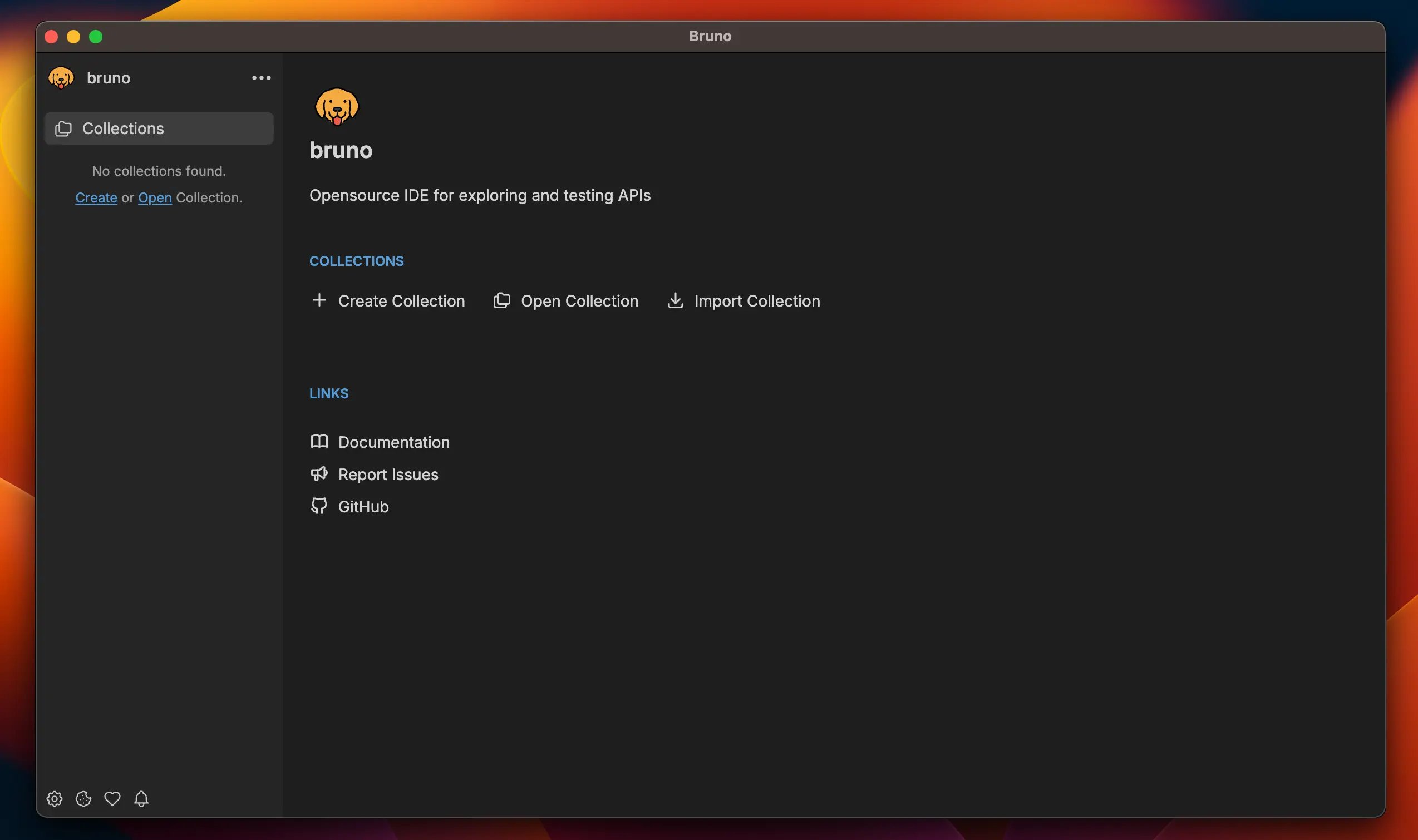
Bruno is a local-first, Git-friendly API client built around a simple idea: API collections should be plain files that live with your code. Bruno collections are plain text (.bru), which makes them diffable, reviewable, and easy to version.
That unlocks workflows developers already trust:
- Collections are diffable and reviewable in PRs
- No proprietary formats and no lock-in
- Offline-first by default
- Scriptable requests and assertions
- Easy CI and automation integration
A typical workflow looks like this:
- A PR adds a new endpoint
- The Bruno collection is updated in the same PR
- CI runs the collection against a test environment
- Reviewers can see exactly what changed and why
8. The Future: Workflows Over Request Libraries
The next wave is probably not another request library. Fetch is solid. Axios is solid. Wrappers are fine. The bigger gains come from workflows that scale across teams and environments.
- Local-first tooling that works without a cloud account
- Version-controlled API artifacts that live next to the code they support
- Automation-friendly testing and validation in CI/CD
- Composable building blocks that fit into real stacks
Developer expectations keep going up. The tools that win are the ones that feel good in a real repo, with real CI, and real teammates reviewing your changes.
Conclusion
XHR was the original browser workhorse. Axios became the default client in many codebases because it shipped good ergonomics and consistency across environments. Fetch eventually became the platform primitive, and as it became available everywhere, more teams defaulted to Fetch and added small wrappers for the missing pieces.
On top of that, server-state libraries like SWR and React Query changed how frontend teams handle remote data. They manage caching and synchronization and they work with any HTTP client underneath.
Beyond consumption, the workflow around APIs matters more as teams grow: local-first tooling, Git-native collaboration, reproducible tests, and automation-ready collections. That is where tools like Bruno fit in. It is a better workflow for testing and collaborating around APIs.