Working with APIs often means dealing with large and deeply nested JSON responses. While raw JSON is useful, it quickly becomes difficult to scan, debug, and analyze as responses grow in size. Searching through arrays and nested objects can slow down development and make API testing less productive.
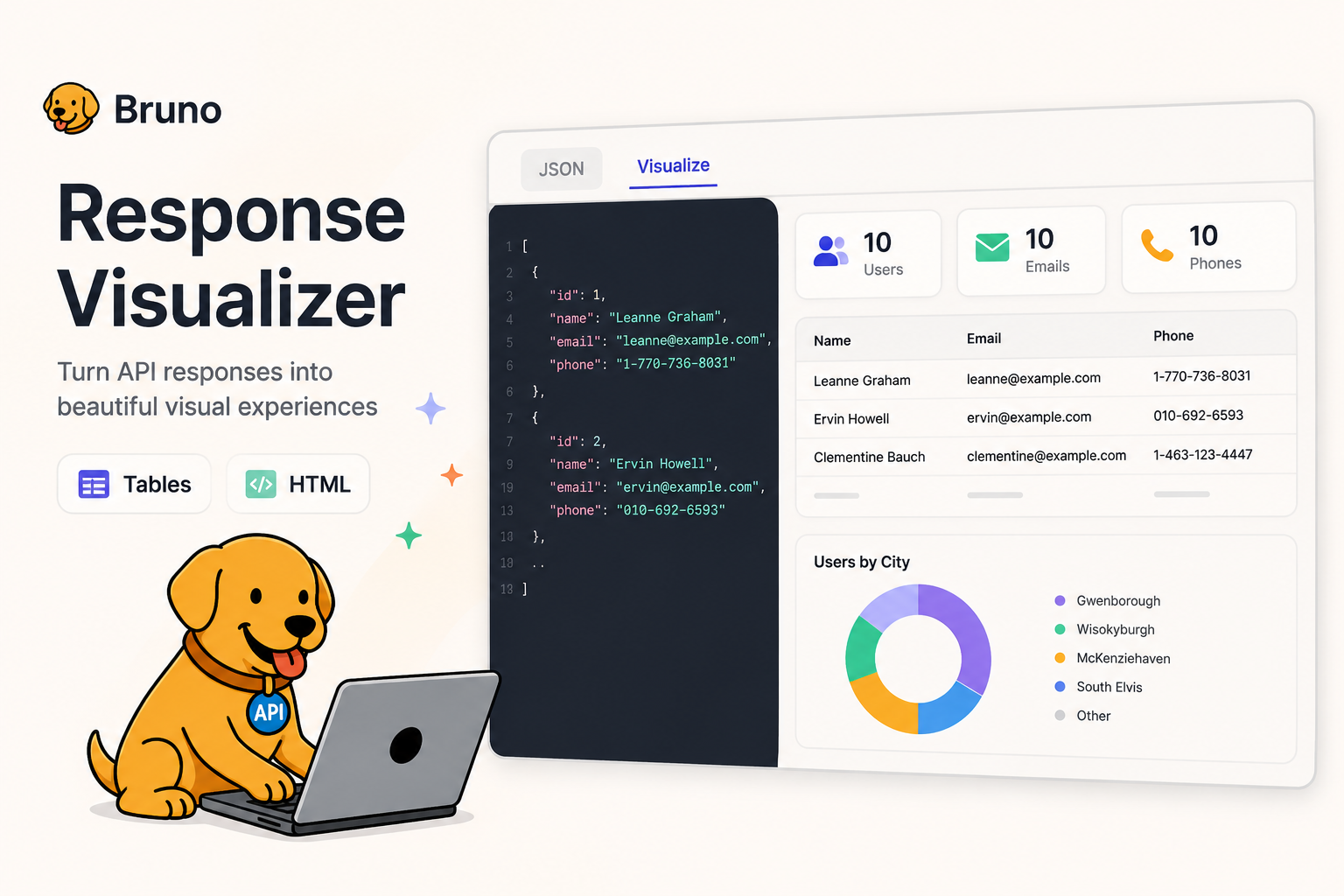
Bruno’s Response Visualizer solves this problem by transforming raw API responses into structured and interactive visual formats. Instead of manually reading JSON, you can render responses as tables, dashboards, cards, or fully custom HTML views directly inside Bruno.
Whether you want filterable data tables, formatted reports, or mini dashboards for API responses, Response Visualizer helps you build readable and reusable visualizations with just a few lines of code.
Table of Contents
What is Response Visualizer
Response Visualizer in Bruno allows you to transform raw API responses into interactive and readable visual layouts. Instead of manually inspecting JSON responses, you can render data as:
- Interactive tables
- Custom HTML dashboards
- Reports and cards
- Data summaries
- Template-driven layouts
This makes debugging, testing, and data exploration significantly easier during API development. Instead of scrolling through raw JSON, you interact with structured visual output directly inside Bruno.
How It Works
Everything starts inside the Post Response script using the bru.visualize() function.
bru.visualize(type, config)
Once executed, Bruno renders the visualization inside the Resp[onse tab using data from res.body.
Understanding bru.visualize(type, config)
The bru.visualize() function accepts two parameters:
bru.visualize(type, config)
- type (string) → defines the visualization type
'table'for interactive table rendering'html'for custom HTML layouts
- config (object) → controls how the visualization should render
The configuration object changes depending on the visualization type.
Table Visualization Config
bru.visualize('table', {
  name: 'usersTable',
  provider: 'ag-grid',
  props: {
    rowData,
    columnDefinitions
  }
});
- name → unique visualization name
- provider → visualization provider (currently ag-grid)
- rowData → array of table rows
- columnDefinitions → defines columns and behavior
HTML Visualization Config
bru.visualize('html', {
  name: 'report',
  content: '<h2>Hello World</h2>'
});
You can either:
- Render raw HTML using
content - Use templates with
template+data
Table Visualization
Use table visualization when you want structured, sortable, and filterable data.
const users = res.body;

const rowData = users.map(user => ({
  name: user.name,
  email: user.email,
}));

const columnDefinitions = [
  { field: "name", filter: true },
  { field: "email", filter: true }
];

bru.visualize('table', {
  name: 'usersTable',
  provider: 'ag-grid',
  props: {
    rowData,
    columnDefinitions
  }
});
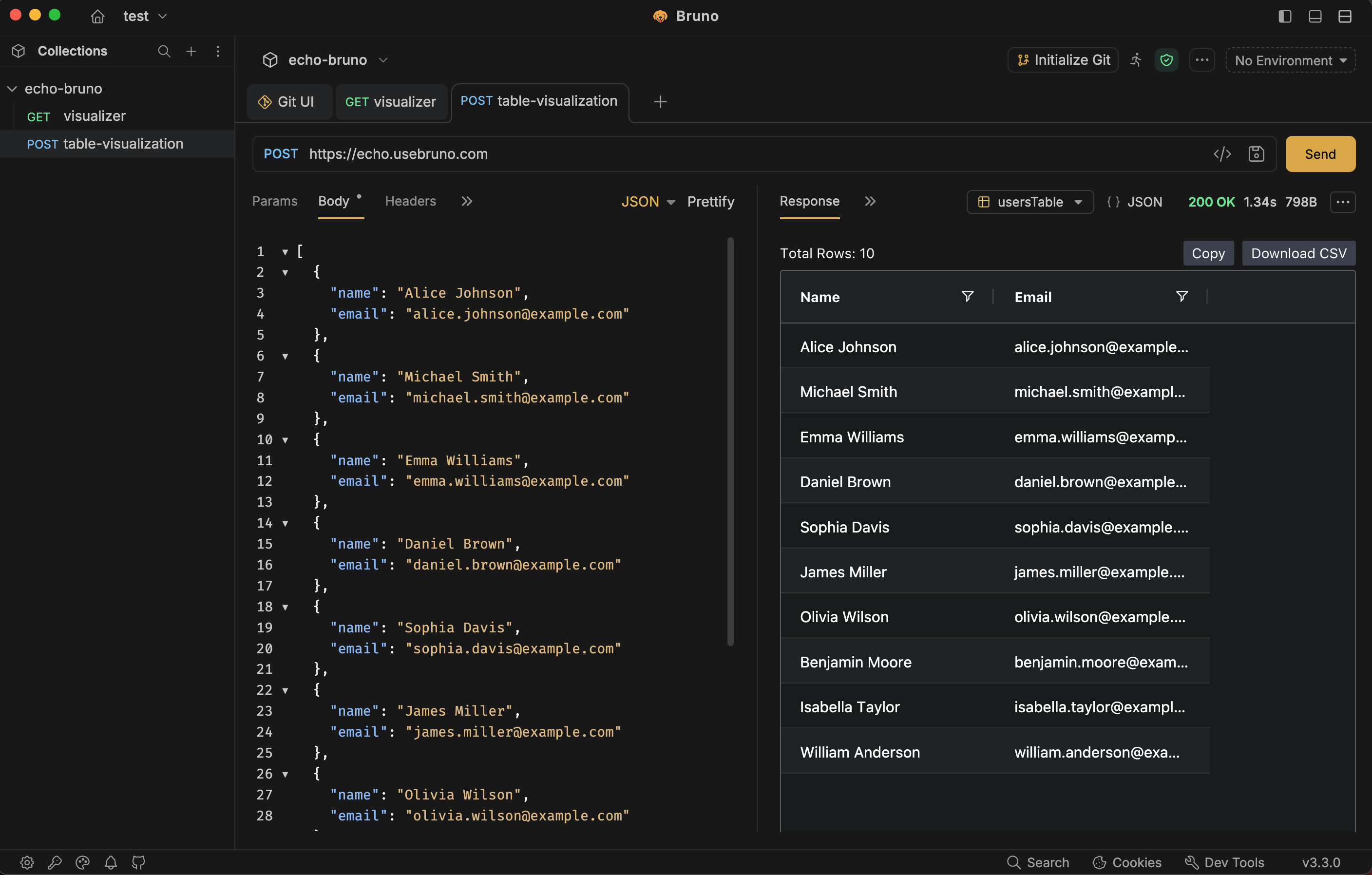
This creates an interactive table directly inside Bruno’s Visualize tab with built-in filtering support.
HTML Visualization
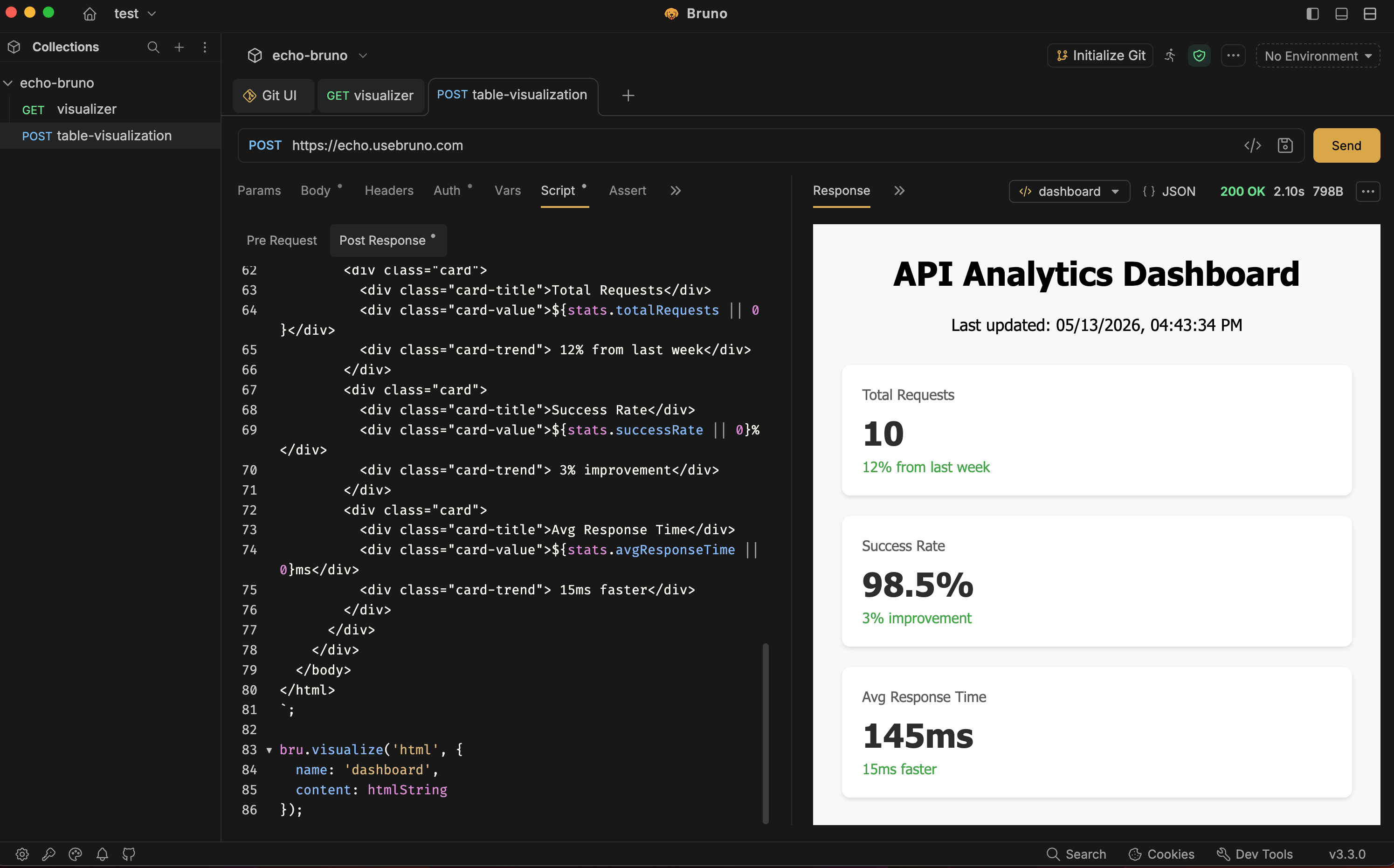
HTML visualization gives you complete flexibility to build dashboards, reports, cards, or custom layouts.
Raw HTML Example
const htmlString =
`<html>
  <body>
    <h2>API Status</h2>
    <p>Success Response: ${res.status} </p>
</body>
</html>
`

bru.visualize('html', {
  name: 'report',
  content: htmlString
});
Handlebars Template Example
bru.visualize('html', {
  name: 'userCard',
  template: '<h2>Visualize API Responses with Bruno Visualizer</h2>',
  data: {
    name: res.body.name
  }
});
Using templates makes it easier to generate reusable visual layouts dynamically from API responses.
Real API Example
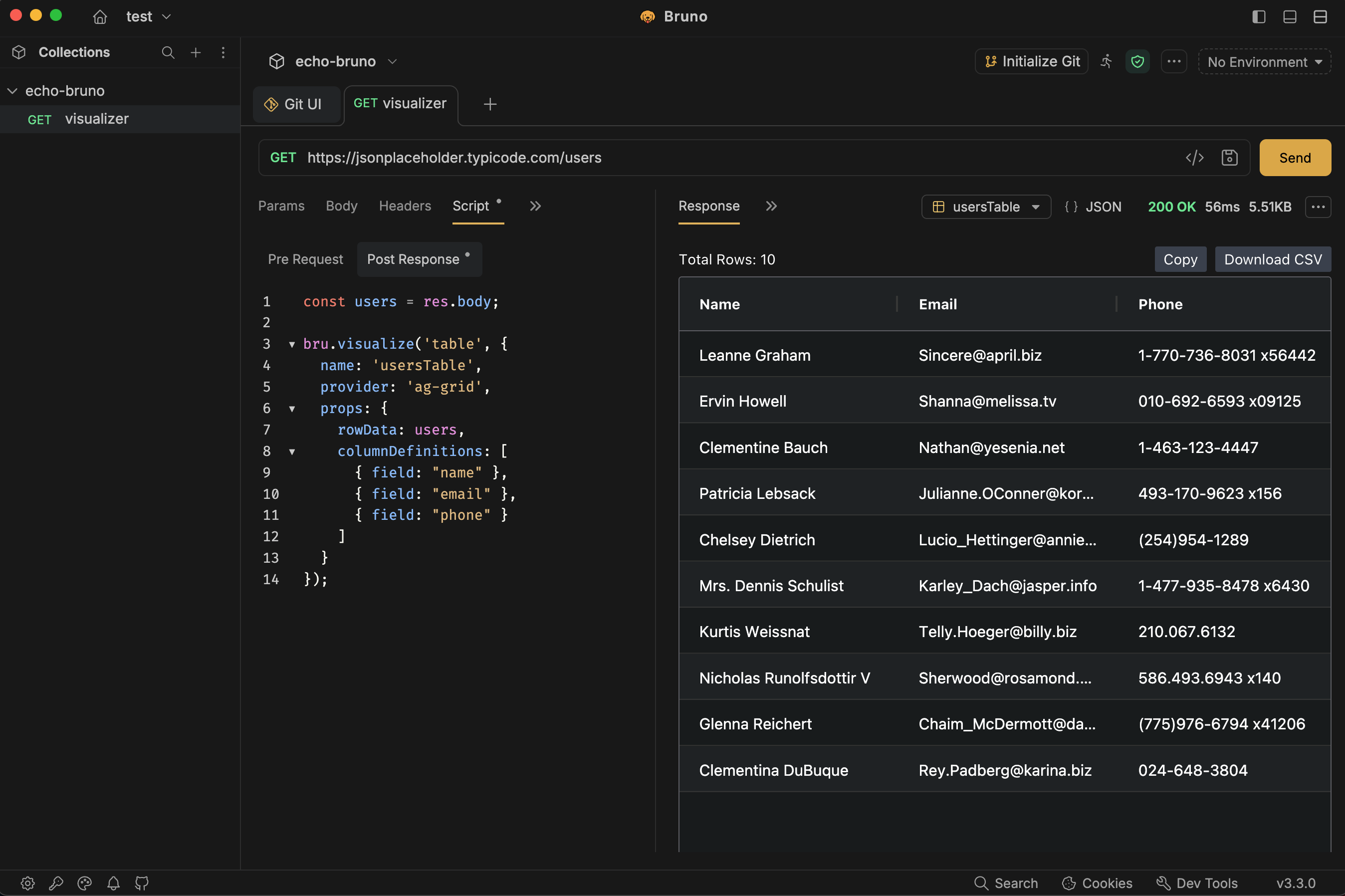
Let’s visualize a real API response using JSONPlaceholder users API.
// API:
// https://jsonplaceholder.typicode.com/users

const users = res.body;

bru.visualize('table', {
  name: 'usersTable',
  provider: 'ag-grid',
  props: {
    rowData: users,
    columnDefinitions: [
      { field: "name" },
      { field: "email" },
      { field: "phone" }
    ]
  }
});
This instantly converts the API response into an interactive data table for easier inspection.
Try It Out
You can quickly import and test Response Visualizer examples directly inside Bruno using the collection below.
The collection includes ready-to-use visualization examples for tables and HTML rendering so you can explore how Response Visualizer works in real API workflows.
To explore advanced visualization capabilities, templates, and additional configuration options, check the official Bruno Response Visualizer documentation.
Conclusion
Response Visualizer in Bruno changes how developers interact with API data. Instead of manually reading raw JSON responses, you can build structured visual experiences directly inside your API workflow.
With bru.visualize(type, config), you can create interactive tables, reusable HTML templates, dashboards, reports, and custom visual layouts tailored to your APIs.
Whether you’re debugging APIs, analyzing datasets, or building internal tools, Response Visualizer helps make API responses more readable, interactive, and useful.
Happy visualizing 🚀