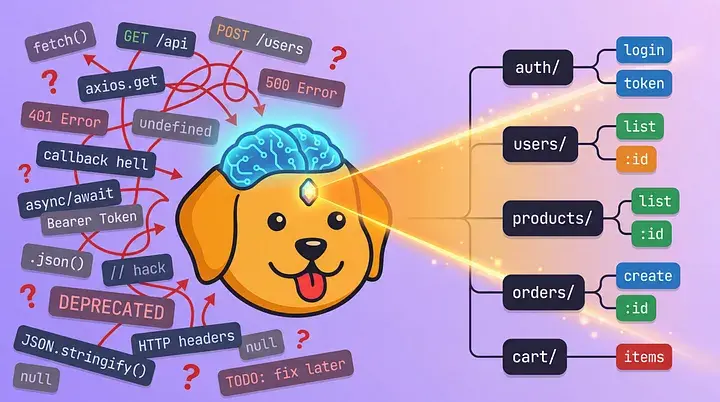

If you've ever wanted an API client that plays nicely with Git, you've probably discovered Bruno. But did you know you can make Bruno even more powerful by teaching GitHub Copilot to understand its collection schema? Let me show you how.
The Problem: AI Assistants Don't Know Bruno
Bruno uses plain-text markup language to store API requests. While this is perfect for version control and team collaboration, AI coding assistants like GitHub Copilot don't understand this format out of the box. Without guidance, Copilot might suggest JSON-based request formats (like Postman uses) or generic HTTP client code instead of proper syntax.
The Solution: Custom Copilot Instructions
GitHub Copilot supports custom instruction files that teach it about your project's specific patterns and conventions. By adding a simple markdown file to your Bruno project, you can transform Copilot from a generic coding assistant into a Bruno-aware powerhouse.
Quick Setup (30 Seconds)
The fastest way to get started is with our automated installer:
cd your-bruno-project
curl -fsSL https://raw.githubusercontent.com/bruno-collections/ai-assistant-prompts/main/install.sh | bash
Or manually create .github/copilot-instructions.md in your project root and copy the Bruno Copilot instructions.
That's it! Restart your editor and Copilot will now understand Bruno.
What Changes After Setup
Before: Generic Suggestions ❌
Without instructions, Copilot might suggest something like this when you create a new API request:
// Copilot suggests generic fetch code
const response = await fetch('https://api.example.com/users', {
  method: 'POST',
  headers: { 'Content-Type': 'application/json' },
  body: JSON.stringify({ name: 'John' })
});
After: Bruno-Native Suggestions ✅
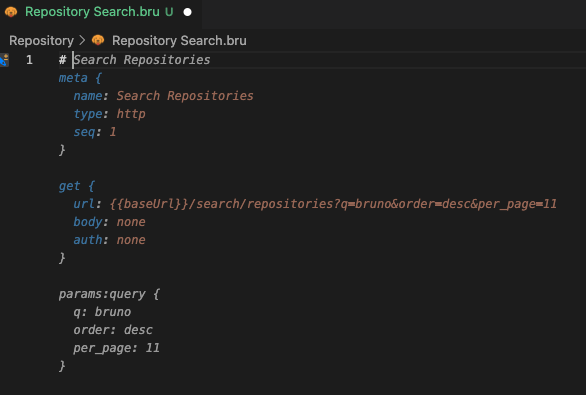
With the instruction file in place, Copilot suggests a full request with proper syntax generated just from the request name itself.
Real-World Example
Generating a Full Collection
1. Setup
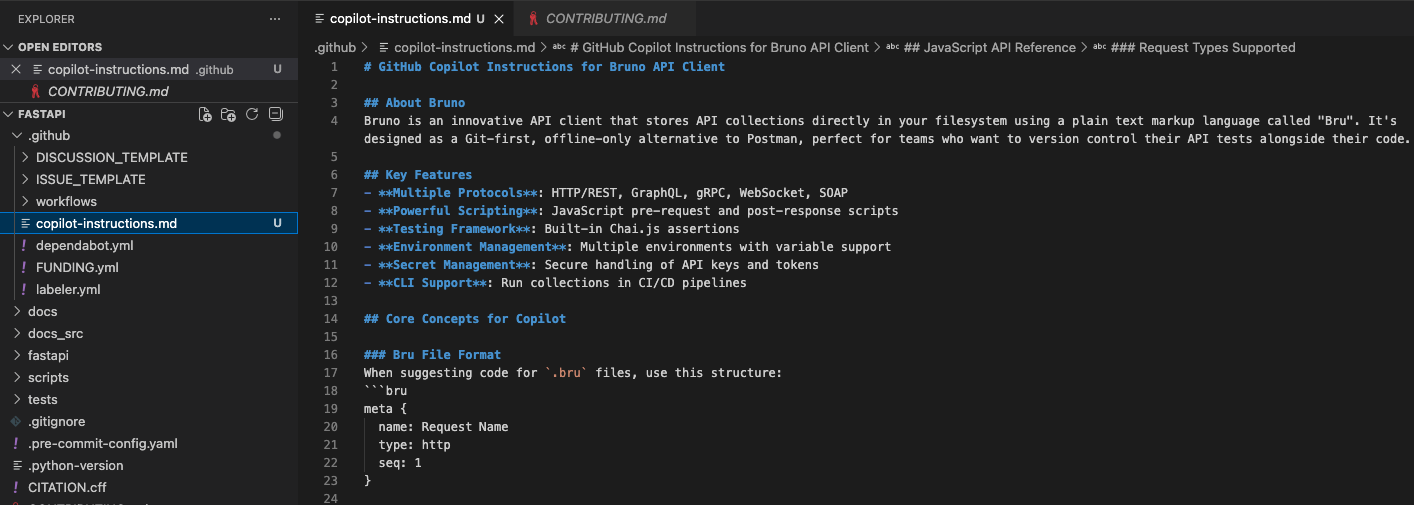
First, we'll clone FastAPIs repo, https://github.com/FastAPI/FastAPI, and add .github/copilot-instructions.md with with the Bruno instructions.
2. Prompt for Collection Creation
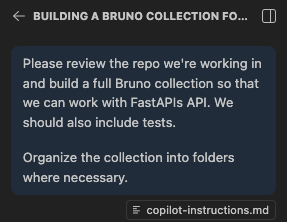
Now I'll just ask Copilot to generate the collection:
3. Review!
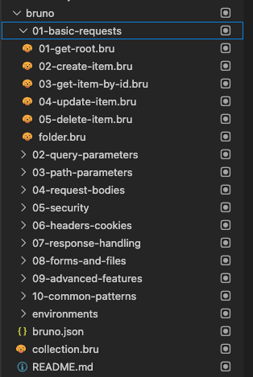
Just like that, Copilot has created a `bruno` folder inside the codebase with a full collection, organized nicely into folders based on category.
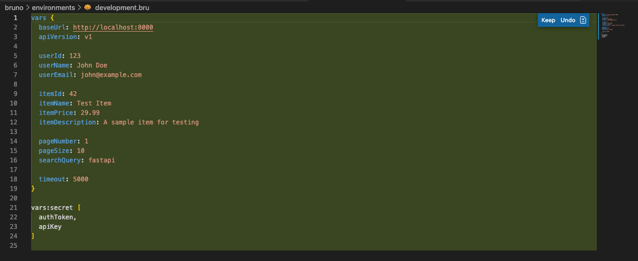
Copilot has also stubbed out environments for us as well:
4. Open in Bruno
Now let's open this in Bruno and experience the collection!
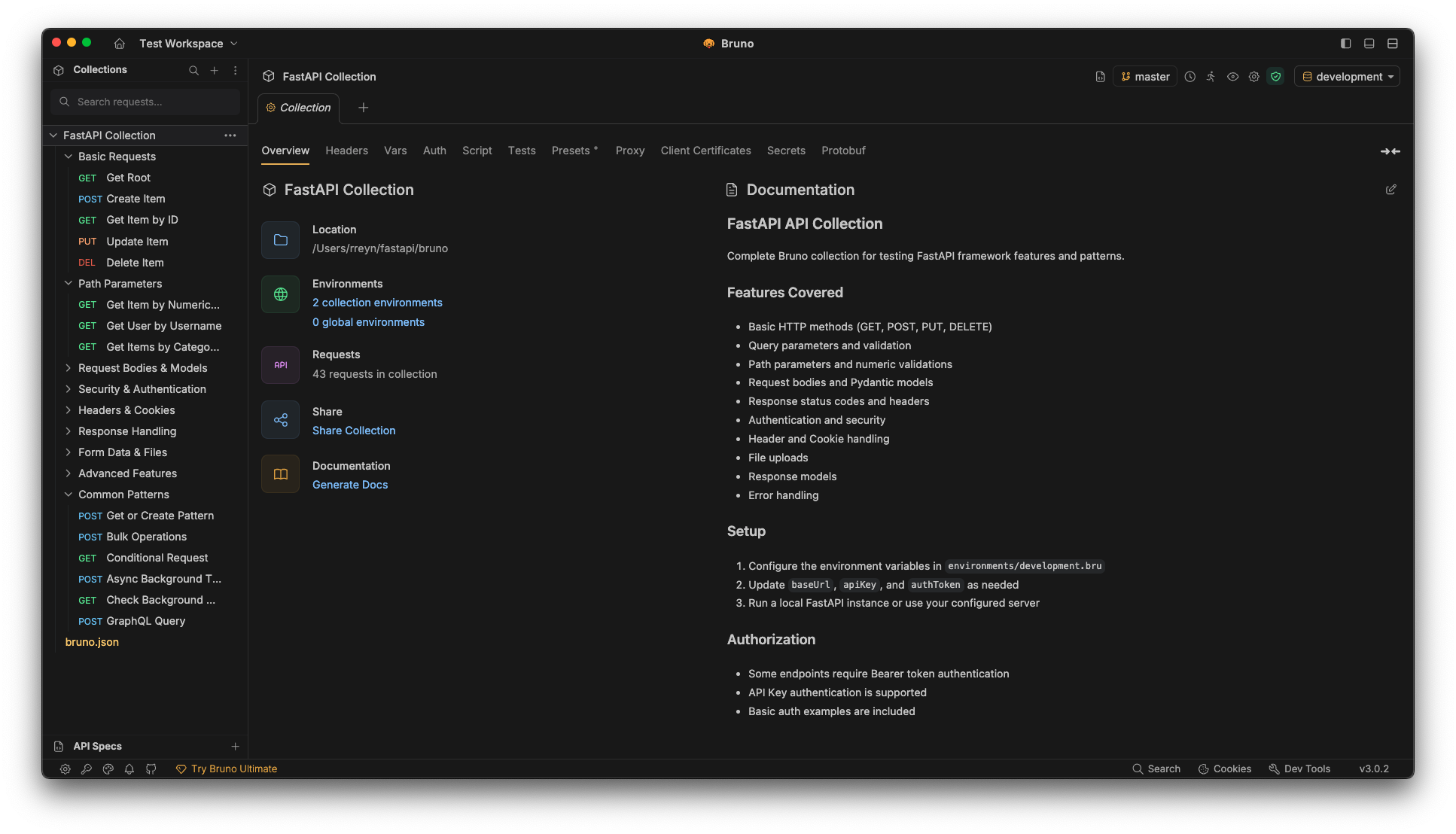
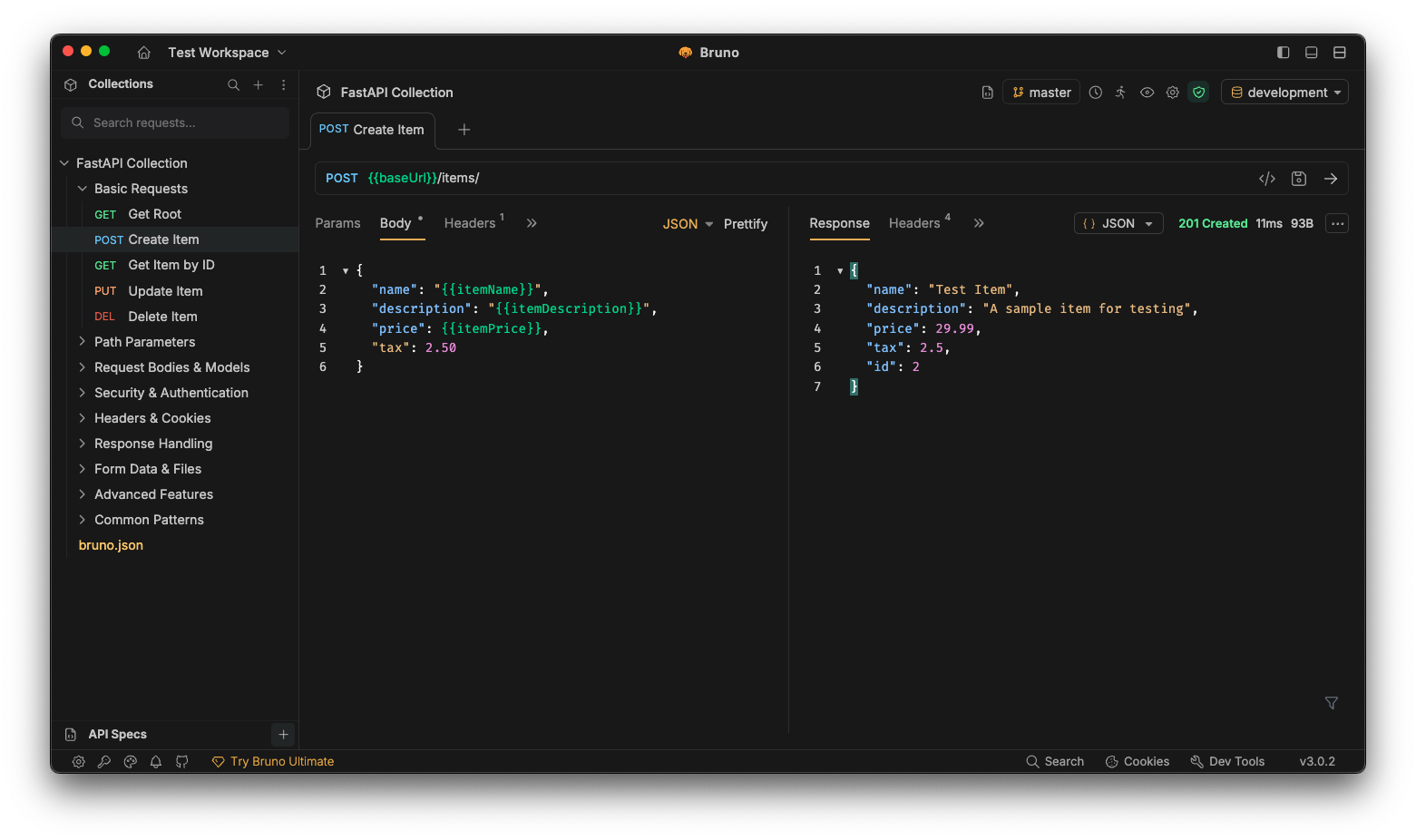
The full collection is now available in Bruno! I also asked Copilot to create a simple test server so we're able to hit the endpoints in the collection.
5. Have Copilot fix test scripts
I've intentionally written a script with incorrect syntax that's resulting in a failure:
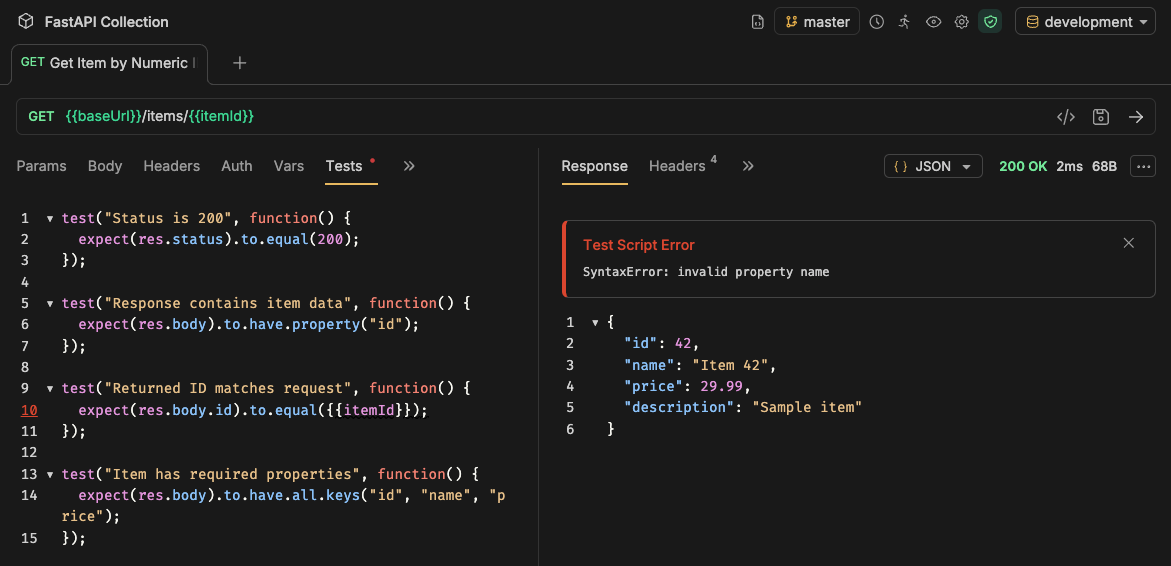
I'll just ask Copilot to fix it 😀
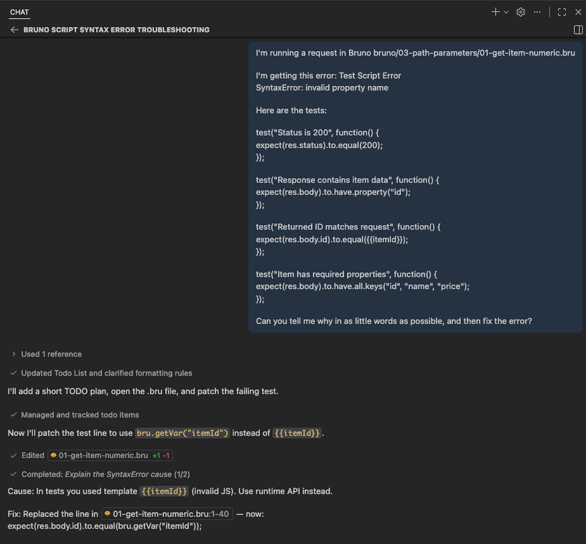
Beautifully fixed.
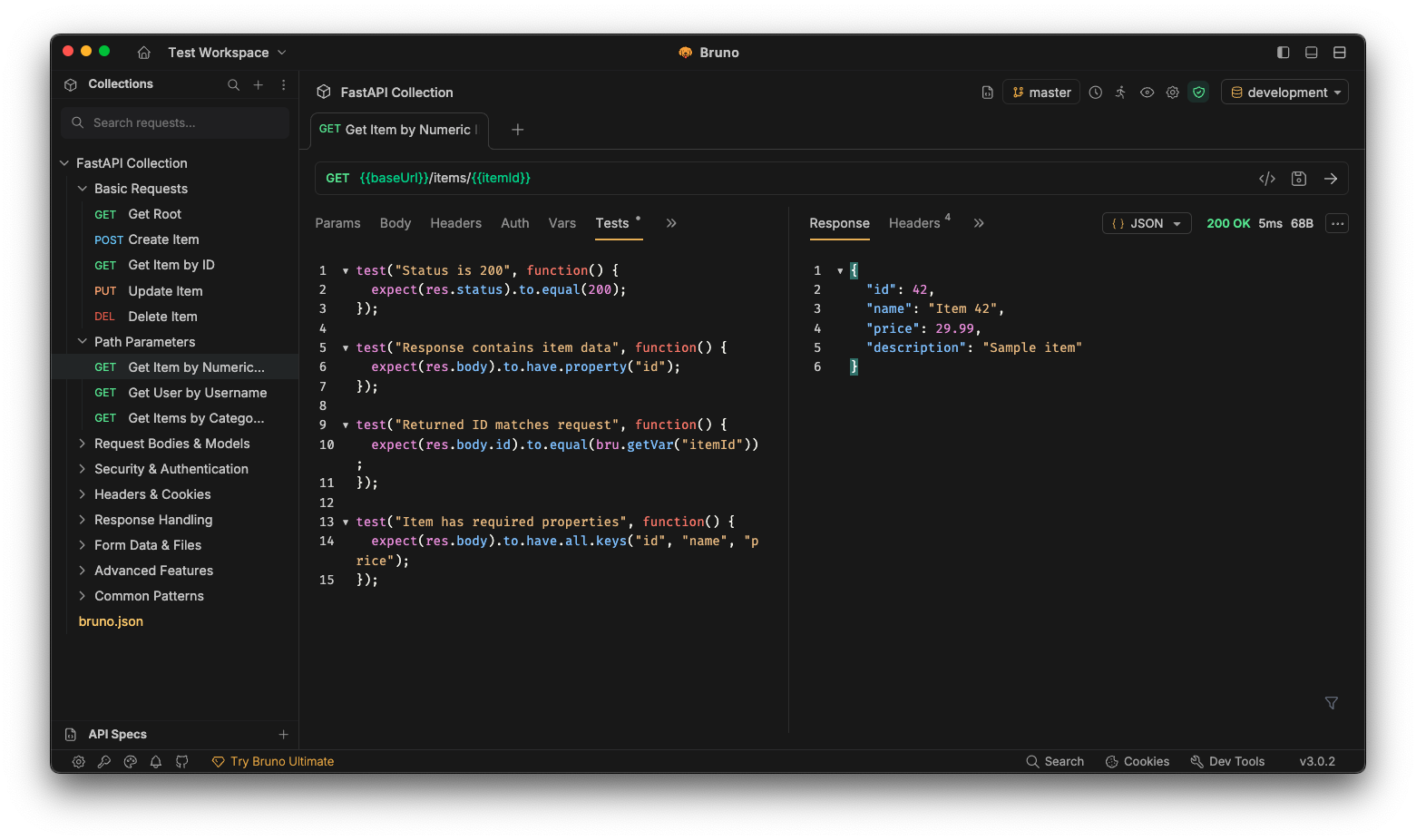
5. Let's Run the Full Collection
We'll use the collection runner to run all the requests and tests at once:
When I ran the collection, you'll notice some failures like mismatched prices or IDs.
These failures demonstrate that Copilot generated real-world test assertions, not only basic "does it return 200 OK?" checks:
- Price/Name Mismatches: Tests are validating that the exact data you send comes back unchanged. The failures show that environment variables (
,) don't match the current test data—exactly the kind of issue you'd want to catch before production. - ID Mismatches: The auto-incrementing IDs reveal state management issues between test runs. In a real CI/CD pipeline, this would tell you to reset your test database.
- 404 Handling: Tests verify that non-existent items return proper error codes, not fake data.
The key insight: Copilot didn't just generate happy-path tests. It created assertions that validate business logic, data integrity, and error handling, the same tests you might write by hand for a production API.
Team Benefits
Consistent Code Quality
When your entire team has the same Copilot instructions, everyone gets consistent suggestions. This means:
- Faster onboarding: New team members immediately get Bruno-aware suggestions
- Fewer mistakes: Copilot suggests the correct syntax and patterns
- Better reviews: Code follows established Bruno best practices
- Shared knowledge: The instruction file documents your team's Bruno conventions
Version Control Integration
Since the instruction file is just a markdown file in your repository, it:
- Lives alongside your Bruno collections in Git
- Gets updated as your team's practices evolve
- Can be reviewed and improved through pull requests
- Travels with your project automatically
Tips for Better Copilot Suggestions
1. Use Descriptive File Names
Instead of request1.bru, use create-user.bru or get-user-profile.bru. Copilot uses file names as context.
2. Add Comments
Start your .bru files with comments explaining the purpose:
# Creates a new user account with email verification
# Requires: authToken (admin), userName, userEmail
# Returns: userId, verificationToken

meta {
  name: Create User with Verification
  type: http
  seq: 1
}
3. Build Incrementally
Let Copilot help you build requests step by step:
- Start with the
metablock - Add the HTTP method and URL
- Include headers
- Add authentication
- Define the body
- Write tests
At each step, Copilot will suggest the next logical section.
4. Keep Examples Nearby
Keep a few well-structured .bru files open in your editor. Copilot uses open files as additional context.
Beyond GitHub Copilot
The bruno-ai-assistant-prompts repository includes instruction files for multiple AI assistants:
- Cursor AI:
.cursorrulesfile for Cursor editor - VS Code Extensions: Works with various AI extensions
- Continue: Configuration for the Continue extension
- Codeium: Context file for Codeium
- Claude/ChatGPT: General context file you can copy-paste
All of these teach AI assistants the same Bruno patterns, so you can use whichever tool fits your workflow.
Resources
- Instruction Files: bruno-ai-assistant-prompts
- Bruno Documentation: docs.usebruno.com
- Bruno GitHub: github.com/usebruno/bruno
- Community: Bruno Discord
Conclusion
Bruno's Git-first, offline-only approach is perfect for modern API development, and with proper Copilot instructions, you can make your AI assistant understand Bruno as well as you do. The setup takes less than a minute, but the productivity gains compound over time.
Whether you're working solo or with a team, teaching Copilot about Bruno means faster means faster development, fewer errors, and better API collections. Give it a try—your future self will thank you.