
Bruno is the open-source, Git-first API client that keeps collections on disk as plain-text .bru / .yaml files—zero vendor lock-in. Cursor is the AI-powered code editor that turns natural-language prompts into production code.
Put them together and you can generate, test, and CI/CD-drive entire API suites without ever leaving your editor. This guide shows you how.
Why This Combo is Powerful
- Collections live in Git—diffable, reviewable, branchable.
- Plain-text files = instant AI context; no export/import dance.
- Cursor agents can read & write Bruno specs just like any other code.
- One prompt → full collection, environments, tests, and pipeline.
One-Time Set-Up (1 Minute)
- Install Cursor
- Open your project root in Cursor.
- Create the agent instruction file:
mkdir -p .cursor && touch .cursor/agents.md - Paste the official Bruno prompt (or your own) into
agents.mdso Cursor knows how to scaffold.brufiles, environments, and tests.
Folder Structure After AI Generation
repo/
├─ .cursor/
│  └─ agents.md          # Cursor rules for Bruno
├─ src/                  # Your app code
├─ routes/
│  ├─ api/
│  │  ├─ data/
│  │  │  ├─ Get_Data.js
│  │  │  └─ Create_Data.js
│  │  │  └─ Update_Data.js
│  ├─ db/
│  │  ├─ local.js
│  │  └─ prod.js
│  └─ tests/
│     └─ users-test.js
Real-World Prompts (Copy & Paste into Cursor)
1. Generate Entire Collection from Routes
"Create a Bruno collection for every Express route inside src/routes.
- Infer RESTful methods from file names
- Set baseURL from environment variable
- Add port variable default 3000
- Generate matching environment files for local, prod"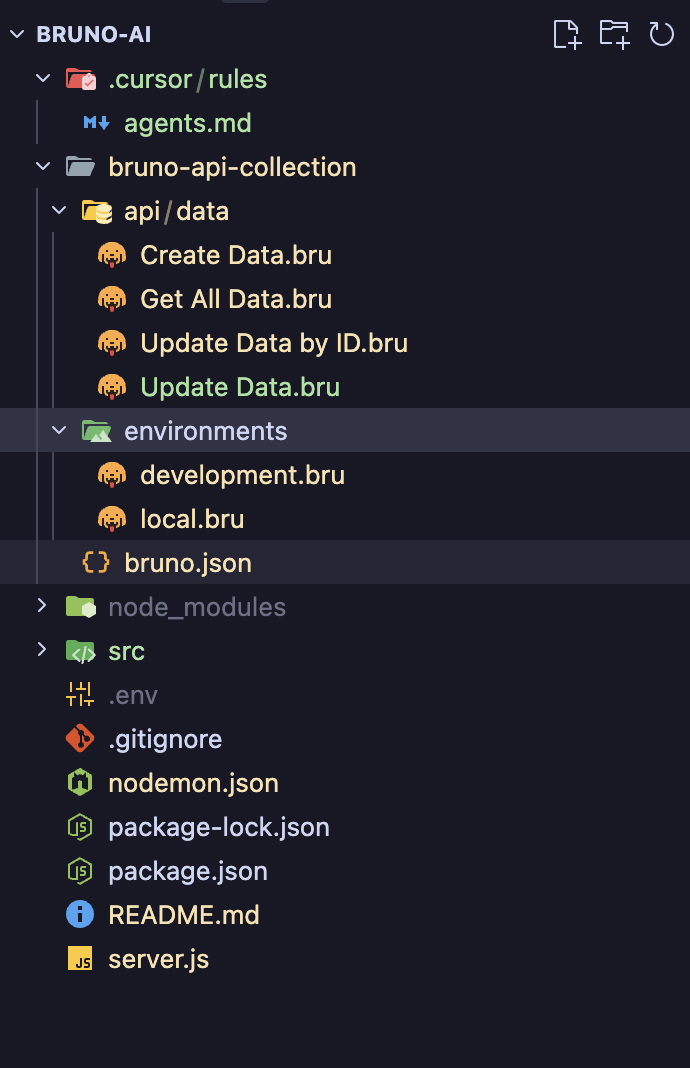
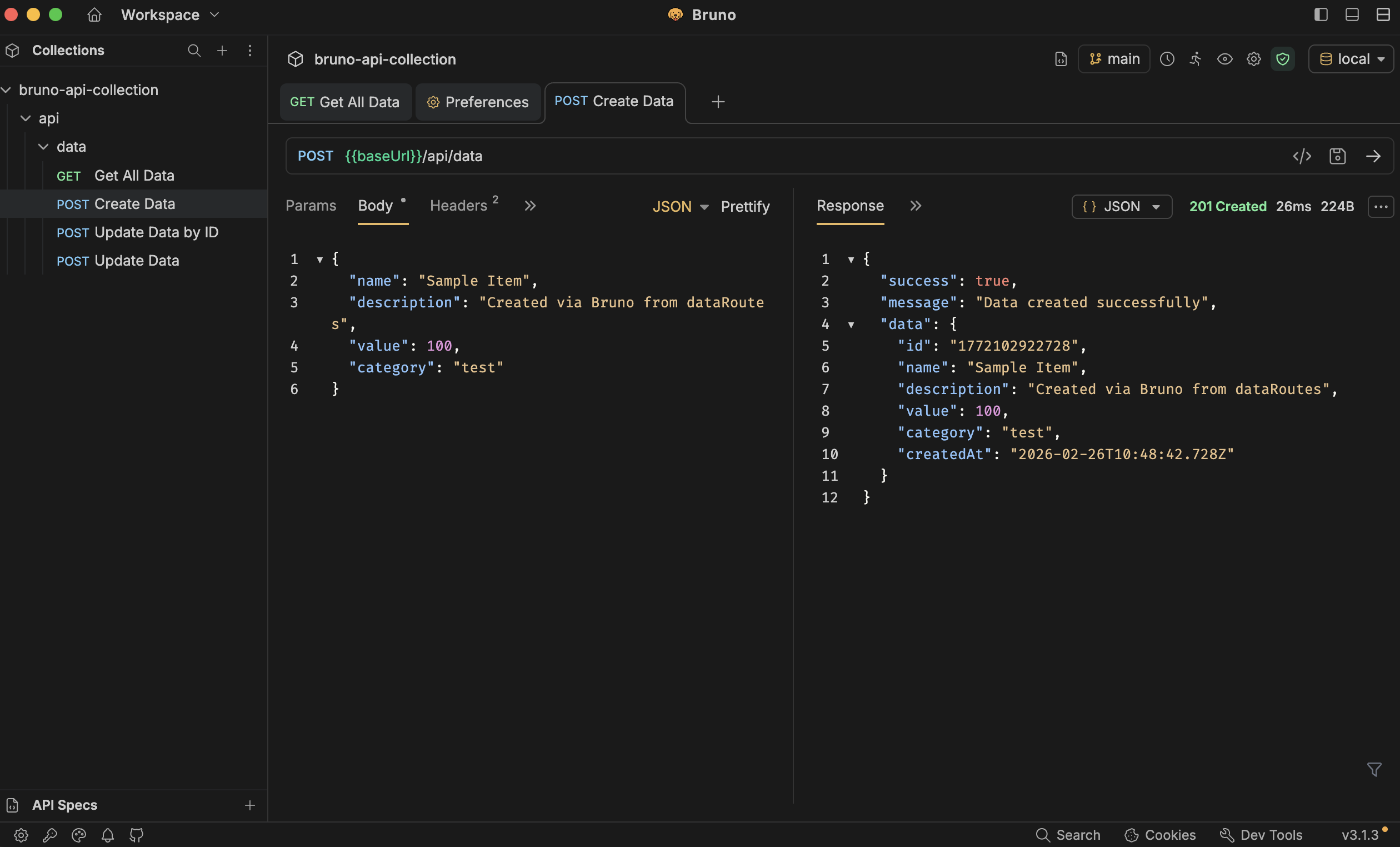
Open the same collection created by Cursor AI in Bruno.
2. Generate CI/CD Pipeline
"Write a GitHub Actions workflow that:
- Runs on every push
- Starts the application in the background
- Executes the whole Bruno collection
- Generate and uploads HTML report using Bruno CLI"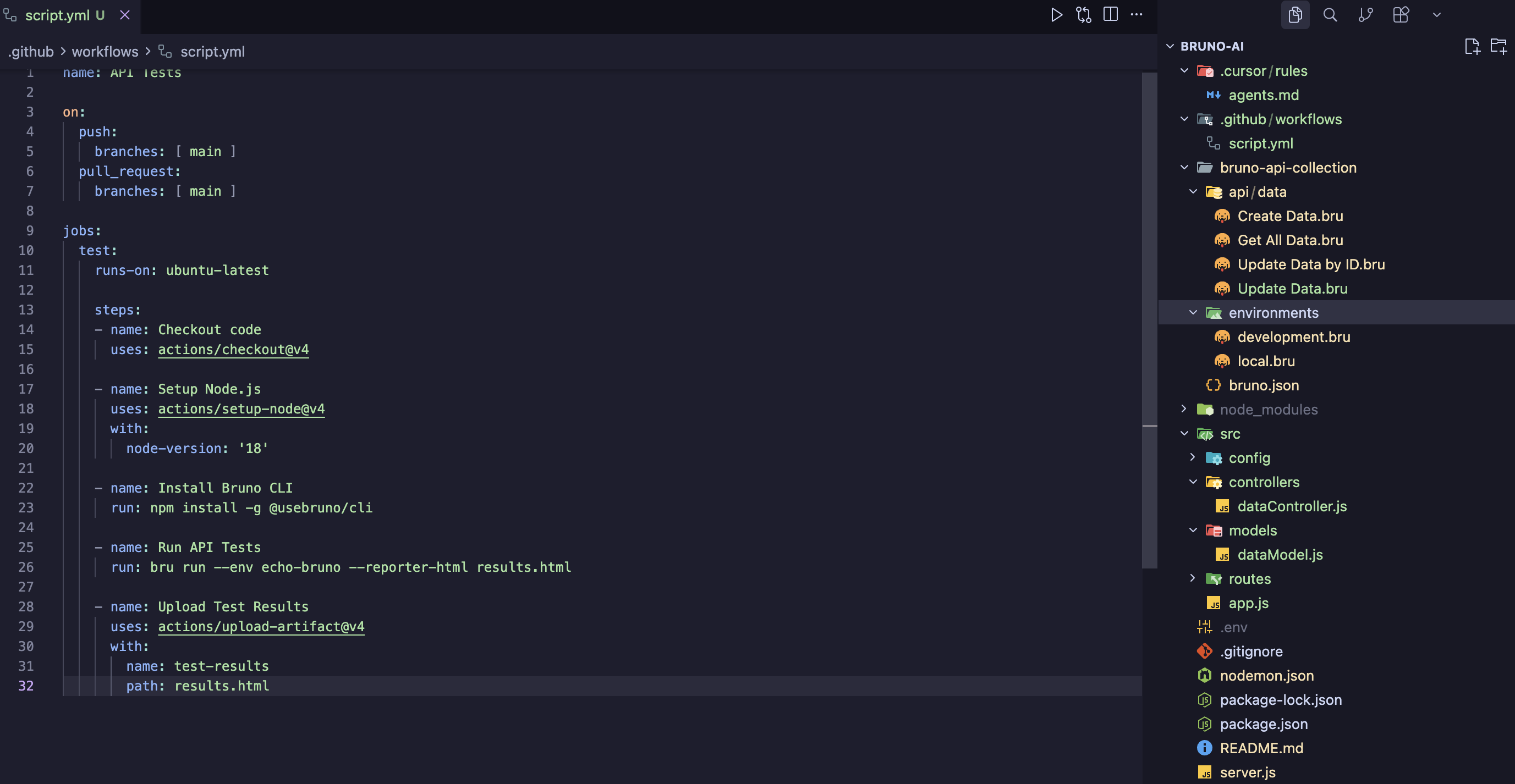
Generated result HTML file in CI/CD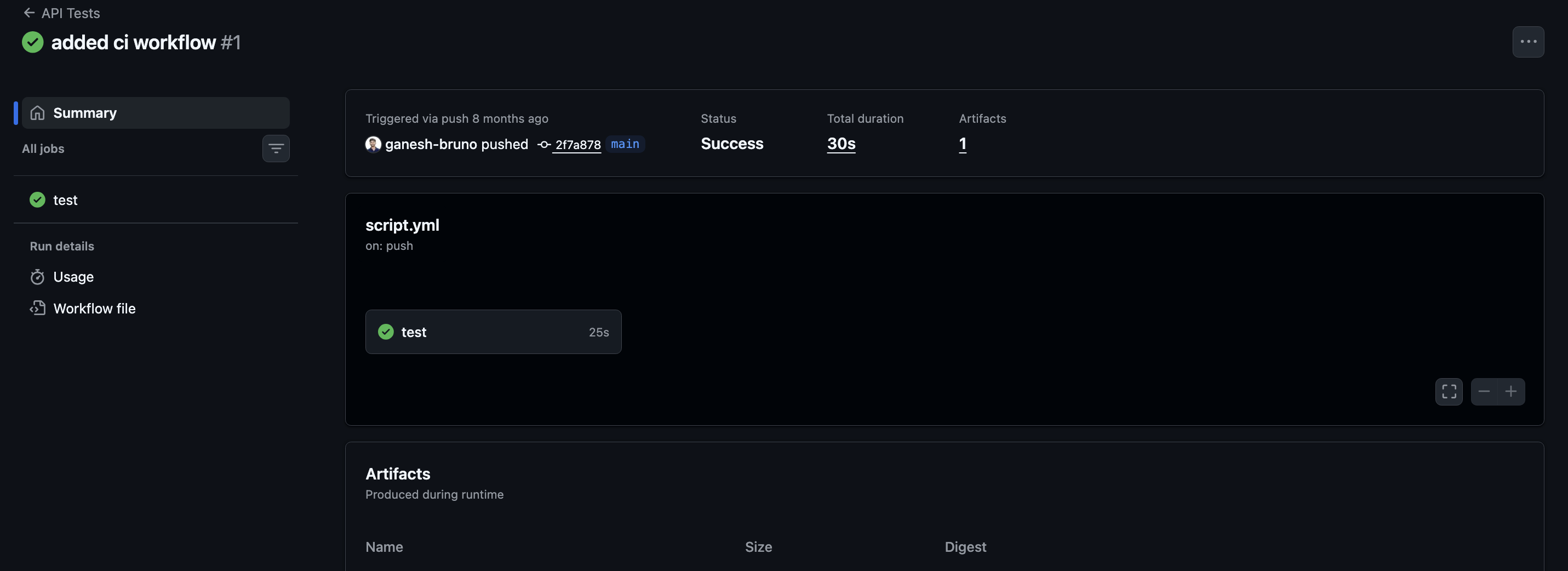
3. Auto-Write Tests & Edge Cases
"For each endpoint in bruno/collections add pre-request and test scripts that:
- Validate 200 OK
- Validate 400 for missing body
- Validate 401 for wrong token
- Check response schema against OpenAPI spec"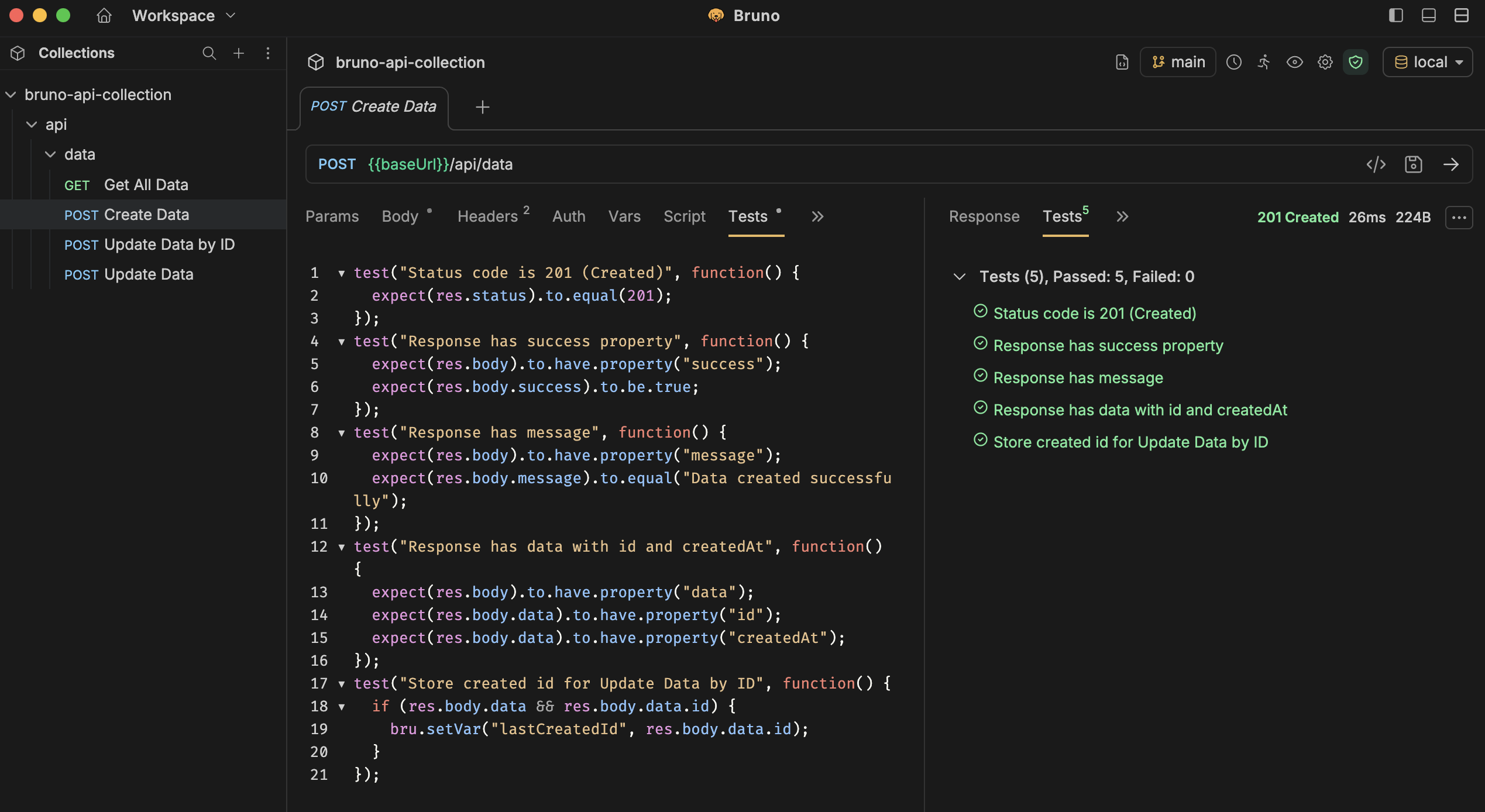
Quick Actions You Can Automate
- Convert Postman/Insomnia exports → Bruno collections
- Seed environment variables from
.envfiles - Generate data-driven tests (CSV/JSON)
- Create scheduled health-check monitors
- Build documentation from collection + OpenAPI
You can use the Bruno Converter package to convert Postman/Insomnia and OpenAPI spec to Bruno.
More AI IDE? Same Prompts
Bruno's plain-text specs work with any AI:
Grab ready-made prompts from the official repo:
github.com/bruno-collections/ai-assistant-prompts
Conclusion
Cursor + Bruno turns API testing into a true part of the codebase:
- Describe what you need → AI writes the specs.
- Git diff shows exactly what changed.
- CI runs the same collections on every commit.
- No cloud lock-in, no binary blobs—just text files an AI (or human) can read.
Happy automated testing!