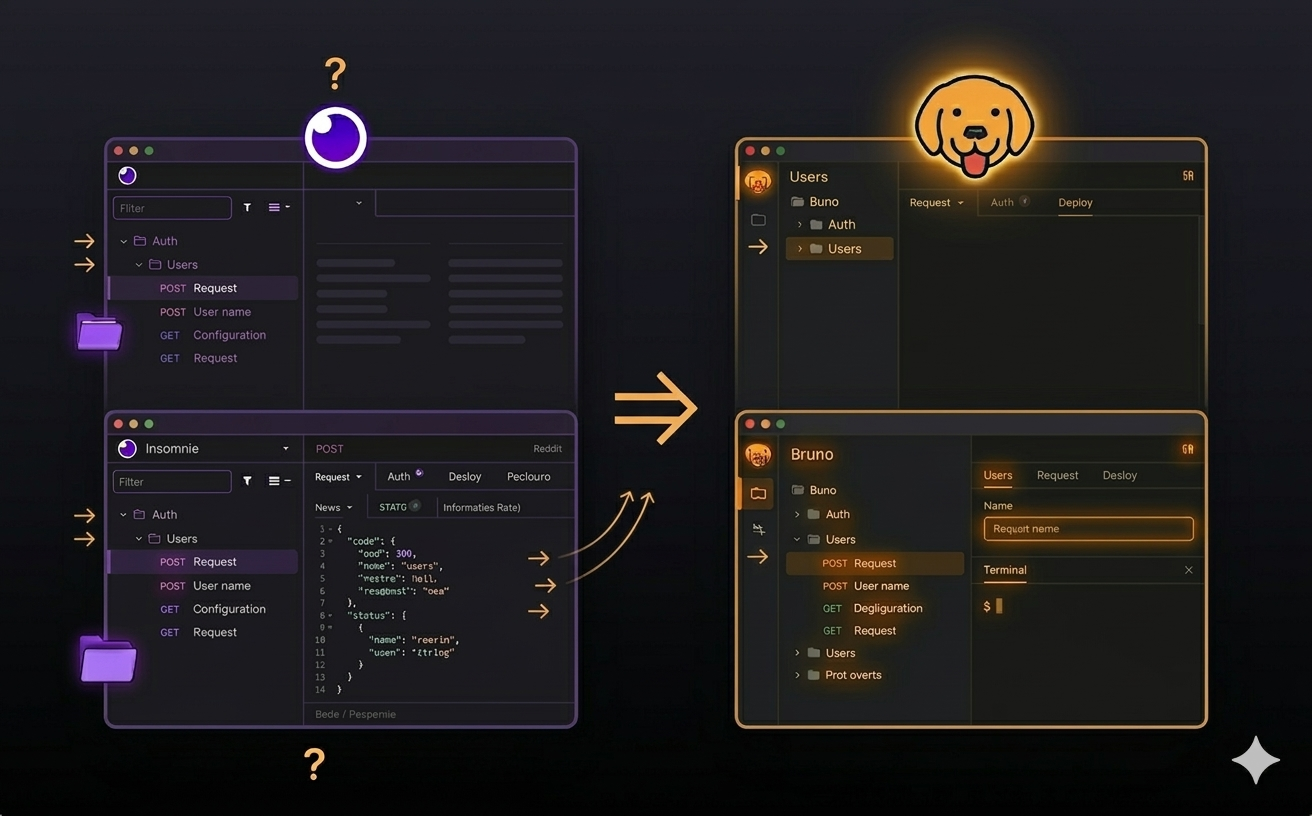
Looking to move from Insomnia to Bruno? This guide walks you through the migration process step by step, including how to export your Insomnia collection, import it into Bruno, preserve environments, and understand what changes to expect.
TL;DR: Bruno makes it easy to migrate from Insomnia and continue your API workflow in a local-first, Git-friendly, open-source API client. Export your Insomnia collection, import it into Bruno, review environments and scripts, and start working locally with collections stored as plain files.
Table of Contents
What is Insomnia?
Insomnia is a popular open-source API client used by developers to test REST, GraphQL, and other APIs. It is widely known as an alternative to tools like Postman and is used by teams building and testing enterprise-grade APIs.
Many developers like Insomnia because of its clean interface, scripting support, and collection-based workflow. But as teams grow, some users start looking for a tool that is more local-first, Git-friendly, and easier to manage directly from the file system.
What is Bruno?
Bruno is a local-first, open-source, and Git-friendly API client built for speed and simplicity. Instead of locking collections inside a cloud workspace, Bruno stores them as plain files on your local machine. That means your API collections can live alongside your codebase and be version-controlled with Git.
This makes Bruno a strong fit for developers and teams who want more control over their API workflows, fewer cloud dependencies, and a better way to collaborate using familiar development tools.
Why Migrate from Insomnia to Bruno?
A lot of teams want a workflow that is simpler, more transparent, and easier to maintain over time. Bruno helps by keeping your collections in plain text files, removing unnecessary cloud dependency, and making collaboration easier through Git.
Typical pain points
Why Bruno helps
Local First
Your collections live on your machine, not in a locked cloud workspace.
Git Friendly
Track API collection changes the same way you track code changes.
Open Source
Contribute, request features, and understand how the tool evolves.
Before You Start
Before migrating, make sure your Insomnia collection is in a clean state. Review your folders, requests, environments, and documentation so the export includes everything you want to bring into Bruno.
- Clean up unused requests or folders
- Confirm request names and grouping are correct
- Verify environment variables are saved properly
- Review any important scripts or test logic
Important: If your collection contains custom scripting logic, review it after import.
Prepare Your Insomnia Collection
Once your collection is ready, export it from Insomnia using the built-in export flow.
- Open Insomnia and locate the collection you want to migrate
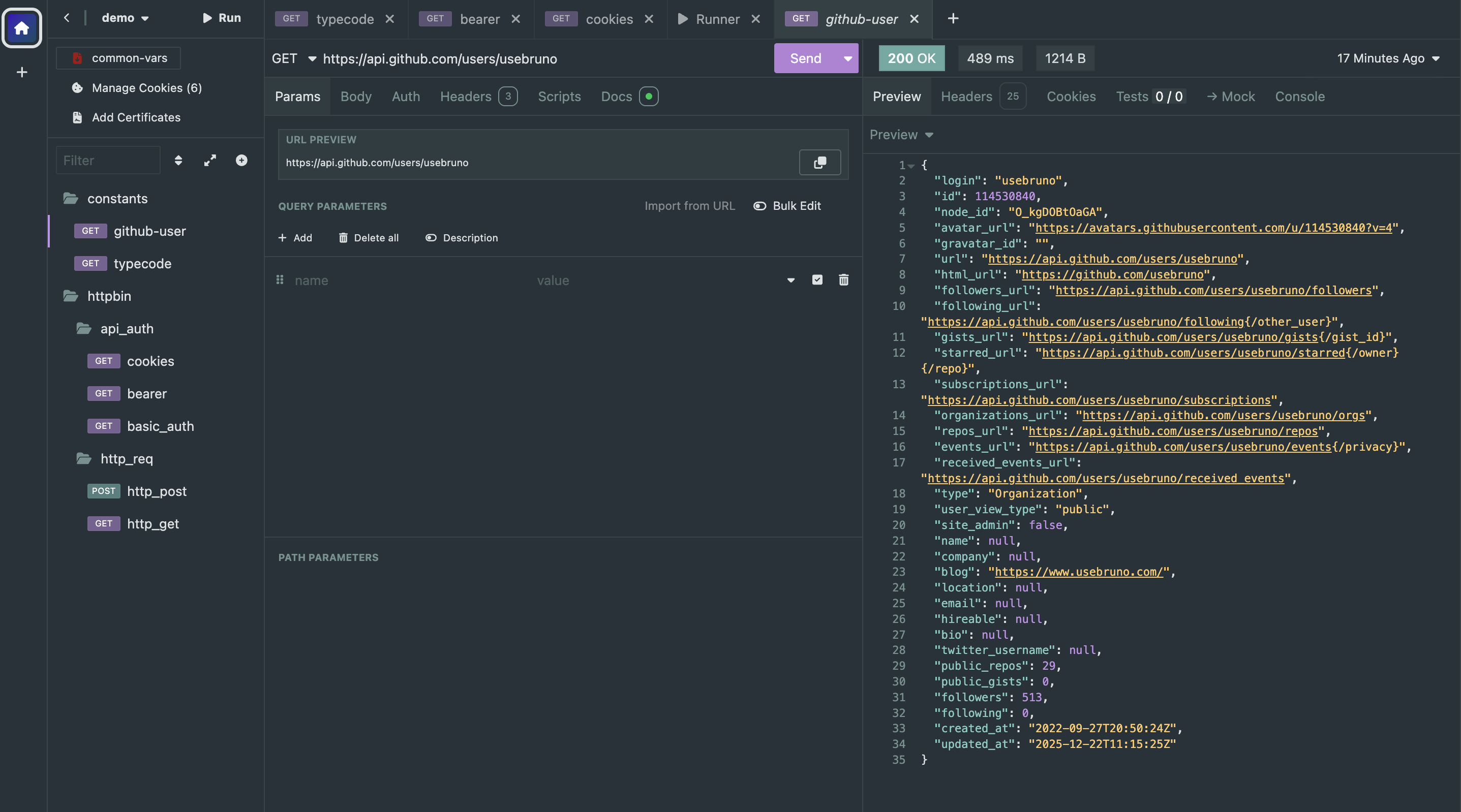
- Click on the collection name or collection menu
- Select the Export option
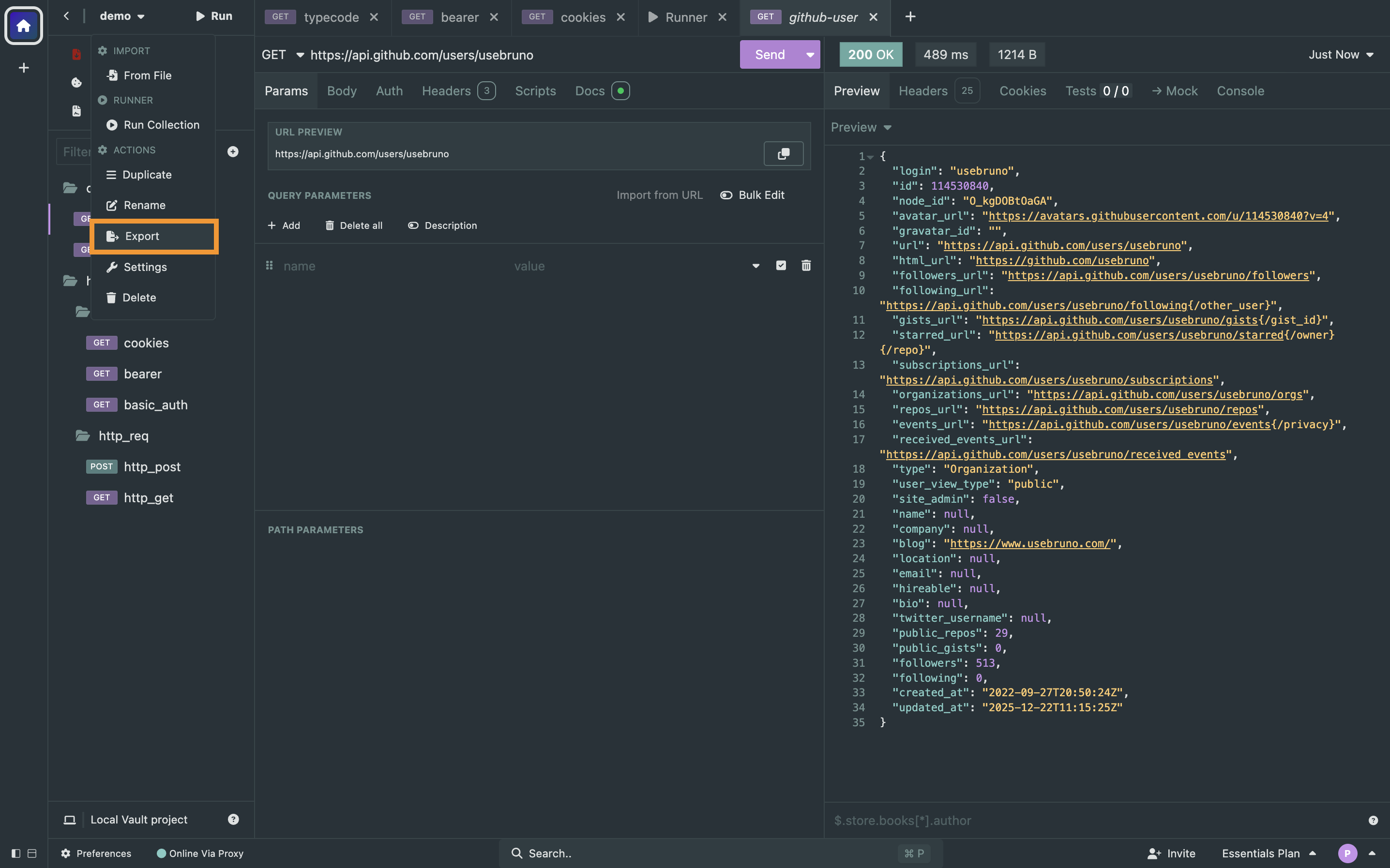
- Verify collection items, folder structure and API endpoints.
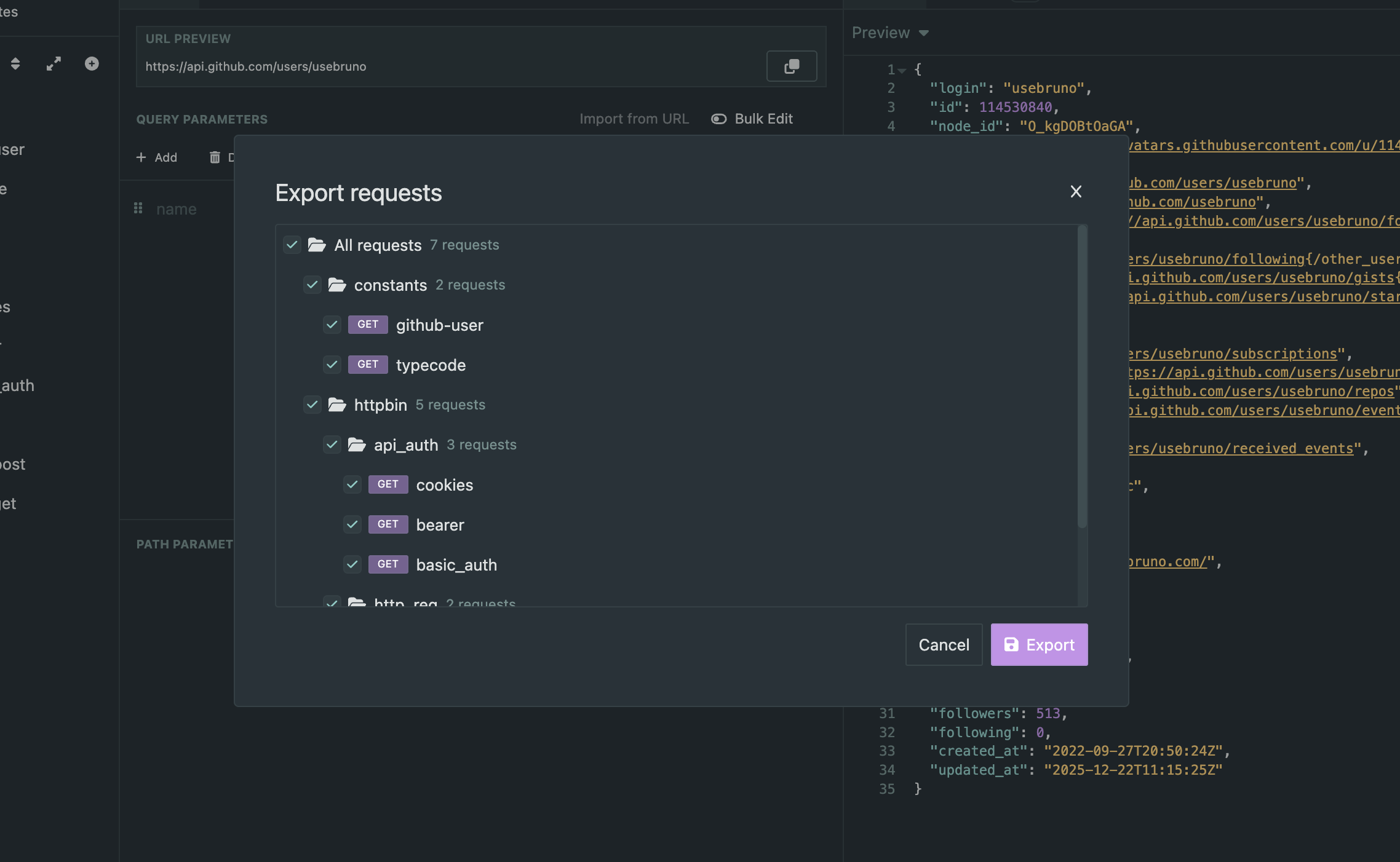
- Choose the appropriate format, such as Insomnia export format(YAML) or HAR when available
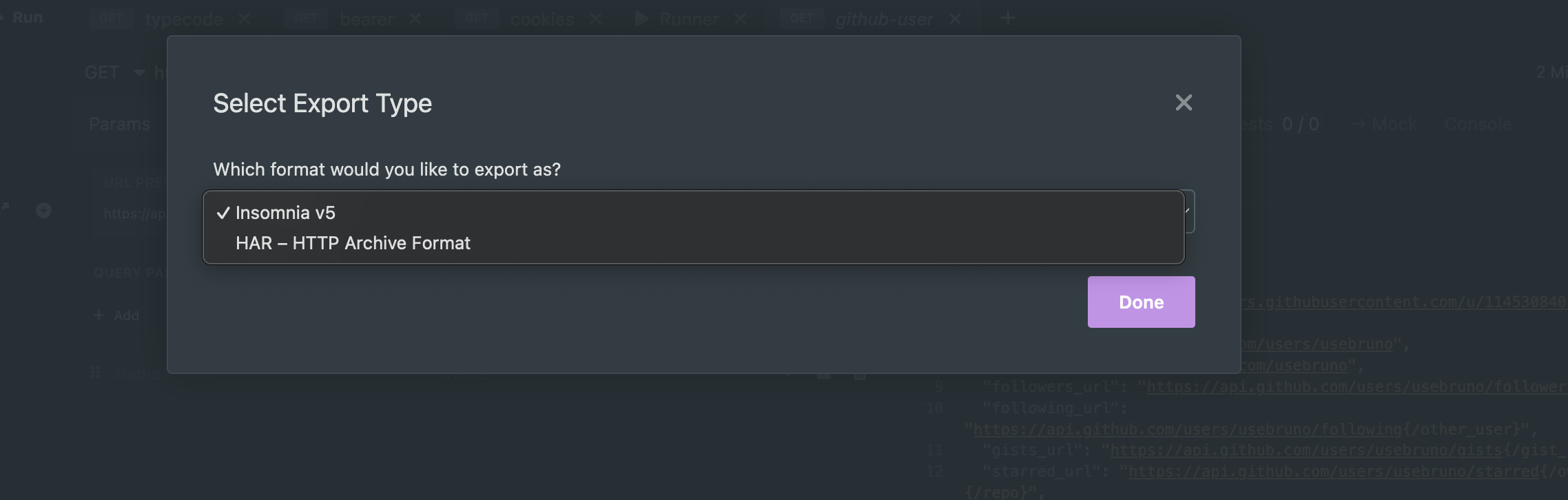
- Save the exported file to your system
After exporting, keep the file in a location you can easily access from Bruno during the import step.
Import the Collection into Bruno
Bruno supports collection import, so bringing your Insomnia export into Bruno is straightforward.
- Open Bruno or Download it first if you have not installed it yet
- Use the Import Collection option from the Bruno interface
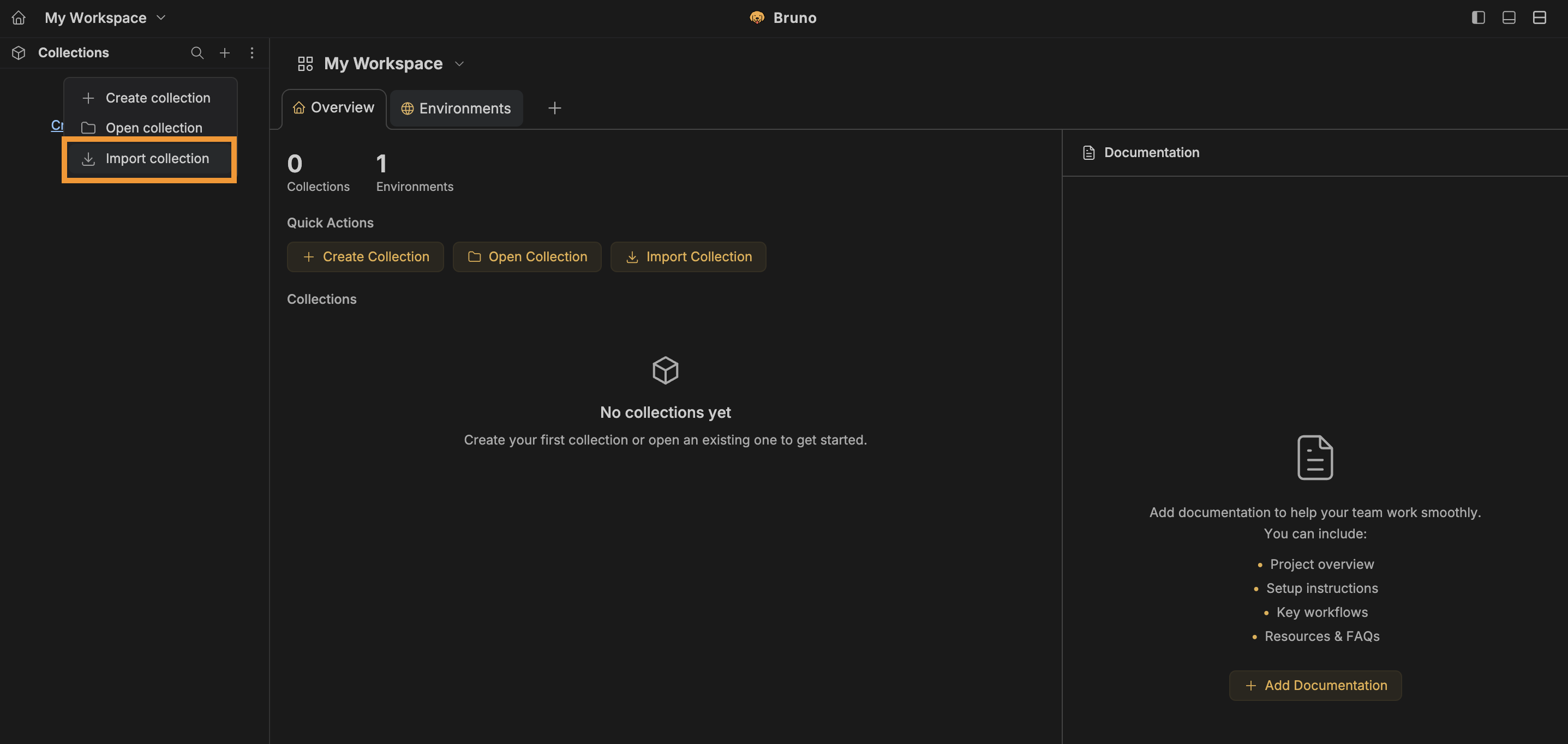
- Select the exported Insomnia file and provide location to store collection
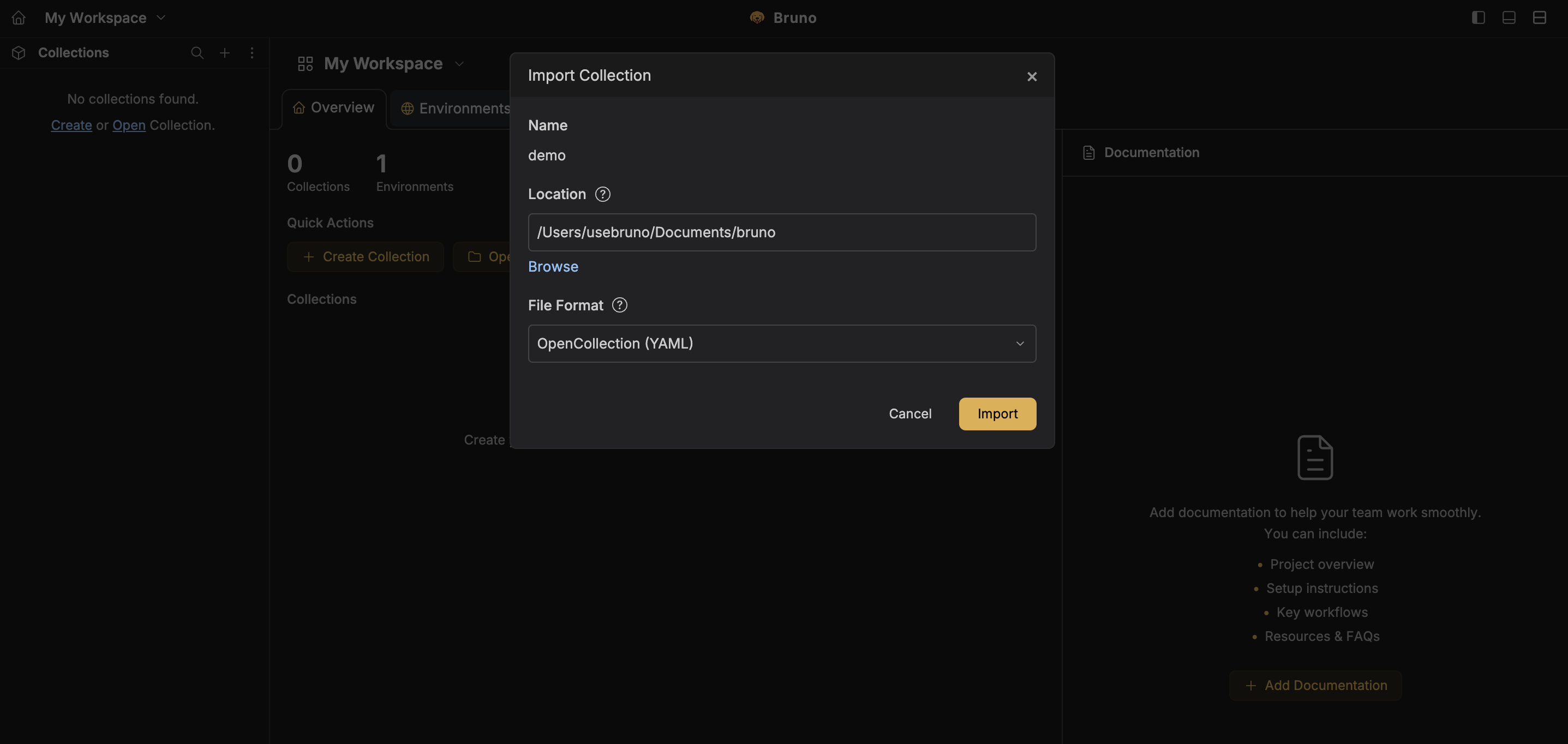
- Choose the file format Opencollection(yaml) or bru maintain by Bruno
- Click on the Import button
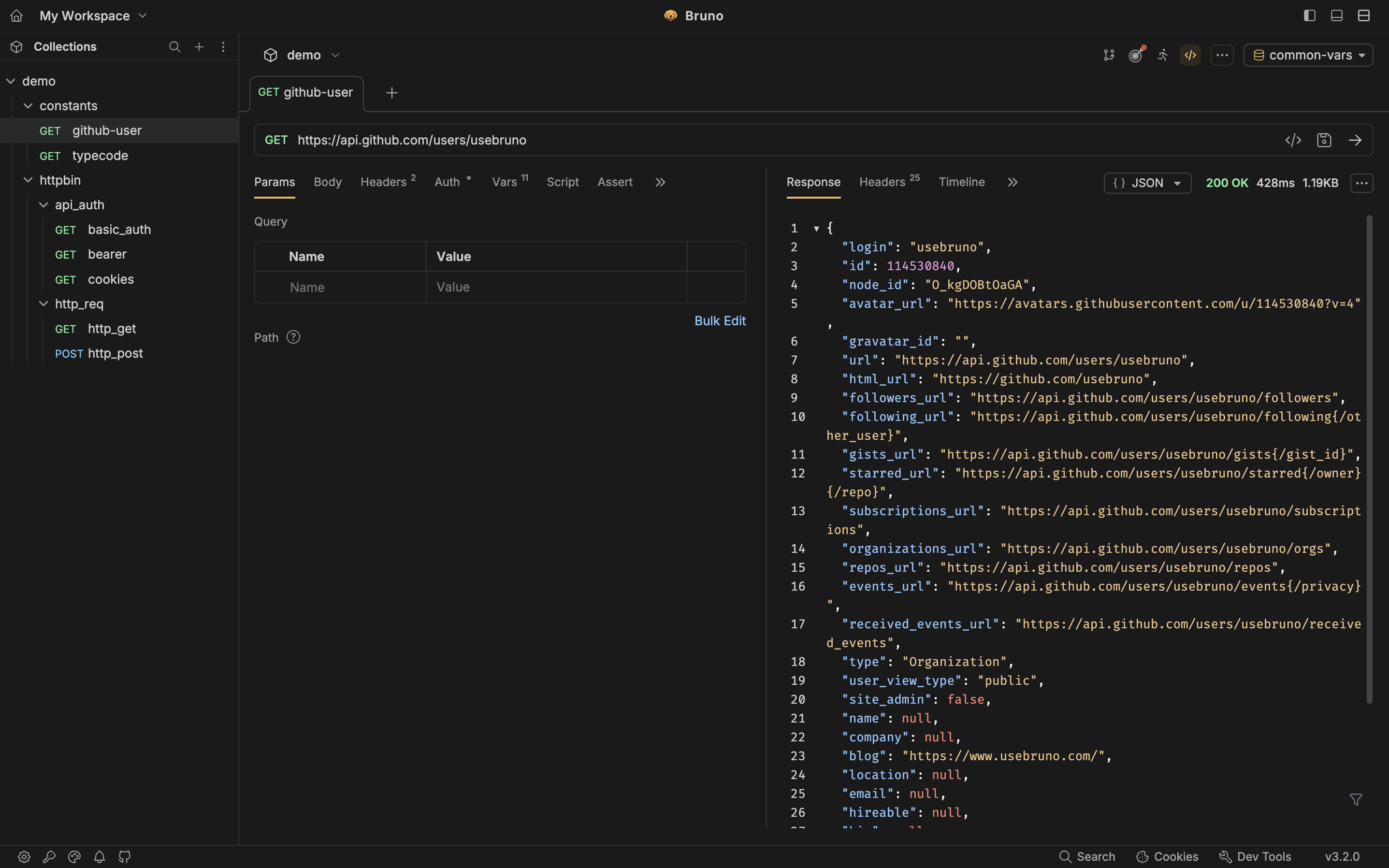
Once the import is complete, Bruno will convert the collection into Bruno’s file-based structure so you can start working with it locally.
Environment Import
If your Insomnia export includes environment information, Bruno can usually bring those values along during import. In many cases, you do not need to export environments separately.
Environments in Insomnia
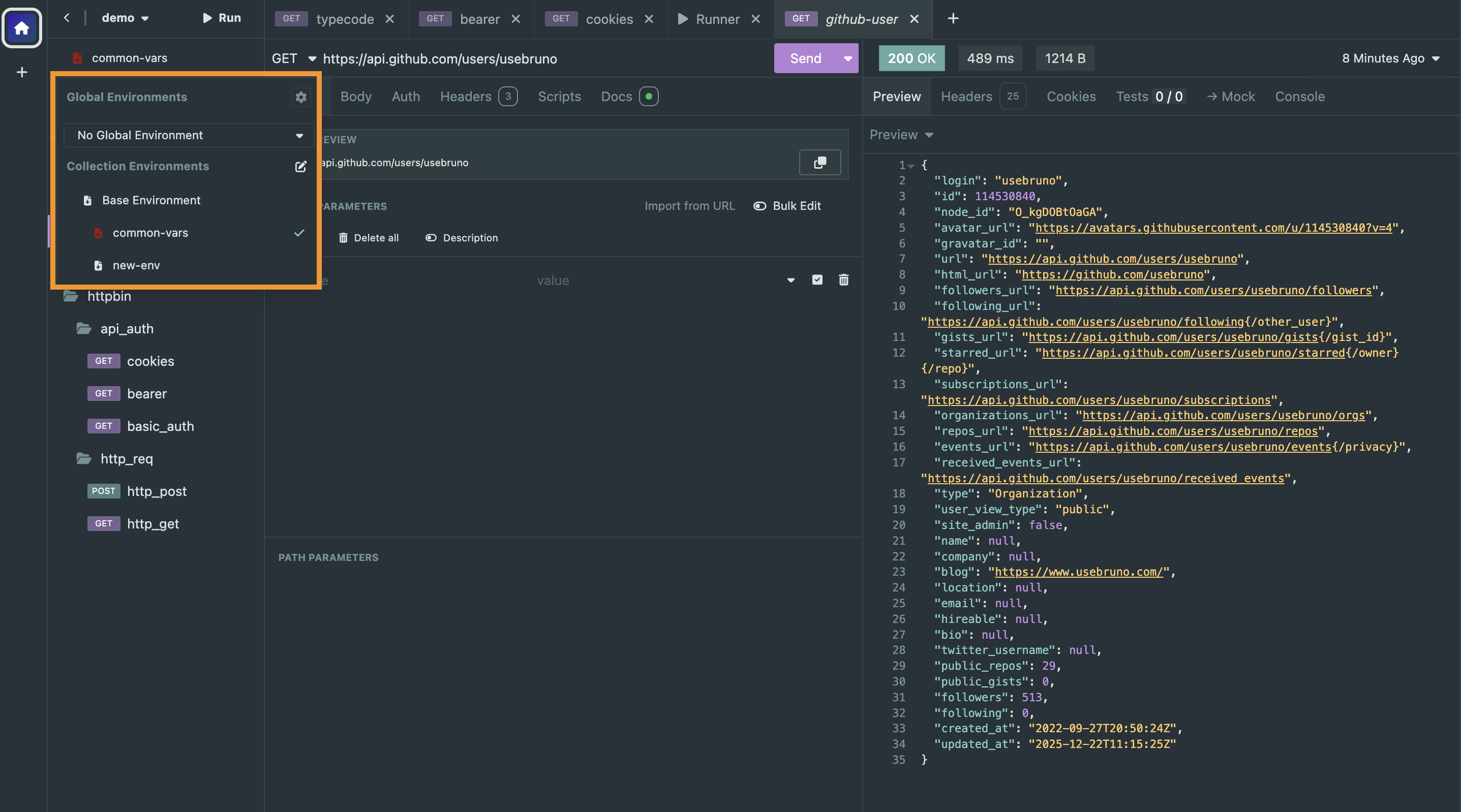
Bruno Successfully Imported All Environments
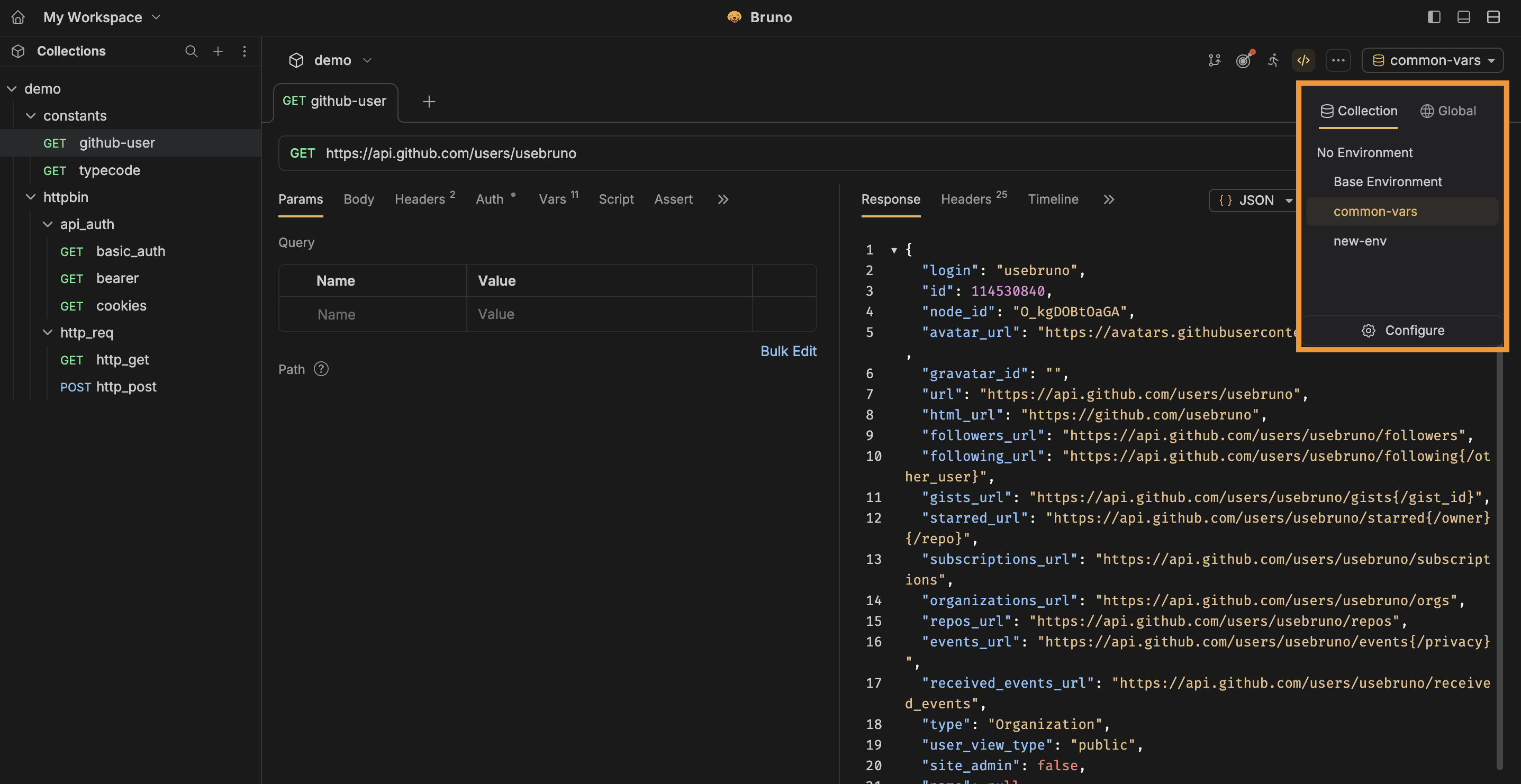
After import, open the environments in Bruno and verify that the expected variables are present and correctly mapped.
- Check base URLs
- Verify auth-related variables
- Review secrets or local overrides carefully
- Make sure environment names are meaningful for your team
Important Migration Notes
Migration is usually smooth, but there are a few things worth double-checking once the collection is in Bruno.
- Custom scripts may need manual review or rewrite
- Folder ordering may need a quick verification
- Collection metadata and docs should be reviewed after import
Note: Script translation support is currently in progress, so users may need to manually review or rewrite scripts after import.
Benefits of Moving to Bruno
Migrating to Bruno is not just about changing tools. It is about adopting a workflow that fits naturally into modern development practices.
1. Everything stays local
Collections are stored in your file system as plain files, giving you more control over how and where your API assets live.
2. Better team collaboration
Since collections are file-based, teams can track changes with Git, review them in pull requests, and keep API workflows close to the codebase.
3. OpenAPI-friendly workflow
Bruno supports OpenAPI-based workflows, making it easier to keep collections aligned with your API spec and documentation.
4. Open source by design
You can request improvements, contribute features, report bugs, and work with a tool that is transparent and community-driven.
What to Do After Migration
After importing the collection into Bruno, take a few minutes to complete a quick migration review:
- Run a few key requests to confirm everything works
- Review environment variables and auth configuration
- Check folder order and naming
- Rewrite or re-add any missing scripts if needed
- Commit the Bruno collection into your repository if your team uses Git
This final review helps ensure the migrated collection is production-ready for day-to-day use.
Helpful next steps in Bruno
- Organize collections inside your project structure
- Use Git to review request changes with your team
- Explore documentation workflows
- Use OpenAPI Sync if your team manages specs actively
Troubleshooting Common Migration Issues
Migration from Insomnia to Bruno is usually straightforward, but there are a few things worth checking if something does not look right after import.
1. Environment variables are missing or not mapped correctly
When exporting collections from Insomnia, environment data may be included in the export. Bruno will usually pick this up and map it to the appropriate environment during import.
If some environment variables do not appear in Bruno, try the following:
- Export environments separately from Insomnia and import them into Bruno
- Open the Insomnia environment export file and search for the missing environment or variable
- Verify that important values such as base URLs, auth tokens, and secrets are present
- Review the imported Bruno environment and manually add anything that was not imported
You can also explore Bruno Converters for additional migration options: https://docs.usebruno.com/converters/overview
2. Environment names or variable names look different after import
Bruno environment names and variables must only contain alphanumeric characters, -, _, and .. They also cannot start with a digit.
If your Insomnia environment contains unsupported characters, such as /, Bruno converts them to -. If something does not appear as expected, check the name and rename it manually if needed.
3. Scripts and test cases appear in a different section
Bruno has separate areas for scripts:
- Pre-request scripts
- Post-response scripts
- Test scripts
During import, Insomnia pre-request scripts should appear in Bruno’s pre-request script section. However, post-response scripts and test cases from Insomnia may appear under Bruno’s post script section instead of the separate test tab.
This does not necessarily mean your scripts are missing. They may just be imported into a different script section. You can continue using them there or manually move test-specific logic into Bruno’s test tab.
We are still improving scripting support for Insomnia-to-Bruno migration. If you find a script that does not work correctly after import, please report it here: https://github.com/usebruno/bruno/issues/7543
4. Importing all Insomnia data
If you want to migrate everything together, you can export all data from Insomnia, including the workspace and collections, and then import it into Bruno using the collection import flow.
Bruno allows you to select multiple collections during import, which is useful when you are moving a larger workspace instead of a single collection.
For more details, you can refer to Bruno’s import/export documentation: Import Collections
Tip: After import, always run a few important requests, verify environments, and review scripts before using the migrated collection in your daily workflow.
Conclusion
Bruno is becoming a strong choice for developers who want a modern API client without the overhead of a cloud-first workflow. Its local-first design, Git-friendly approach, and open-source nature make it a practical tool for individuals and teams who want more control over their API collections.
If you are moving from Insomnia, the migration process is simple enough to get started quickly, while still giving you room to adopt a cleaner long-term workflow for API testing and collaboration.
If your team needs advanced collaboration, secret management, or enterprise support, you can always reach out to the Bruno team separately.
Happy migrating 🚀